


Why This Teams PowerShell Change Matters
If Microsoft Teams PowerShell is part of your daily admin work, this sign-in change is worth paying attention to.
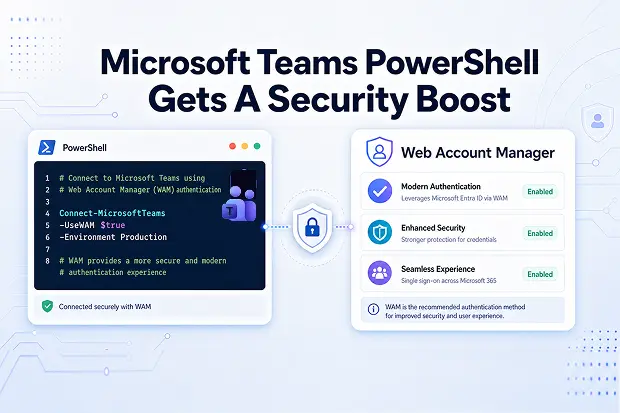
Microsoft is moving Microsoft Teams PowerShell on Windows to Web Account Manager, also known as WAM, as the default authentication broker. The goal is to deliver a more secure and more consistent sign-in experience that fits better with modern Windows authentication.
That may sound like a small backend update, but it can directly affect how sign-in works in the scripts and admin tasks you rely on most.
Knowing where WAM applies, where it does not, and what to review now can help avoid unnecessary friction later.
What Is Changing In Microsoft Teams PowerShell
Microsoft is updating the Microsoft Teams PowerShell module so WAM becomes the default authentication broker for sign-in on supported Windows devices.
In practical terms, this means the module will start leaning on the built-in Windows broker for certain authentication flows instead of continuing with the older sign-in behavior in those scenarios.
Here are the main changes to know:
- WAM becomes the default authentication broker for Microsoft Teams PowerShell on supported Windows systems.
- A temporary -DisableWAM parameter is available in the Connect-MicrosoftTeams cmdlet for a single connection when WAM needs to be bypassed.
- Microsoft has stated that -DisableWAM is temporary and will be removed in a future release, so it should be treated as a short-term fallback rather than a long-term fix.
This update appears starting with preview version 7.8.1 of the Teams PowerShell module.
Why Microsoft Is Moving To Web Account Manager
WAM is a Windows component that works as an authentication broker, helping apps sign in with accounts already known to the device and manage token flows more securely.
By making WAM the default for Teams PowerShell on Windows, Microsoft is aligning the module with a more modern authentication approach that can improve both security and user experience.
Some of the practical benefits include:
- Better security support through broker-based authentication.
- Smoother integration with Windows account experiences.
- Better support for modern authentication experiences that tap into Windows Hello, Conditional Access and FIDO-based sign-in through the WAM broker.
For someone managing Teams day to day, the real value is simple: sign-in becomes more aligned with how Microsoft already handles authentication in modern Windows environments.
Your Security Upgrade Moment
Invite reflection instead of just explanation. Find out:
- Which scripts still depend on older credential habits?
- Which admin tasks could move to a more secure sign-in model?
- Where could this update help reduce manual sign-in pain over time?
That makes the content feel more practical and more connected to real admin work.
Who Is Affected By This WAM Update
This change mainly matters if Microsoft Teams PowerShell is being used on Windows for administration, reporting, or automation.
If Connect-MicrosoftTeams is part of your regular admin work, there is a good chance this update affects at least some of your sign-in scenarios.
The most directly affected scenarios include:
- Interactive sign-in using Connect-MicrosoftTeams
- Connect-MicrosoftTeams with -Credential
- Connect-MicrosoftTeams with -AccountId, including Integrated Windows Authentication scenarios
The following methods are not affected:
- Service principal with certificate
- Managed identity
- Pre-acquired access tokens
That distinction matters because not every Teams PowerShell workflow needs to be changed. The impact is mostly tied to interactive and certain user-based sign-in patterns.
Known Limitations And Environments Not Using WAM
WAM is not a universal fit for every environment, so it is important to understand where it does not apply.
Microsoft quotes that existing authentication behavior remains unchanged in several scenarios where WAM is not supported or not appropriate.
These include:
- macOS and Linux
- Windows versions earlier than Windows 10 or Windows Server 2019
- Non-interactive environments such as Windows services
- Scheduled tasks without a logged-in user session
- Scenarios that run under impersonation
WAM also requires an interactive Windows session with UI access, which is an important detail for anyone running PowerShell outside a normal user desktop session.
Recommended Actions For Teams Administrators
The best response to this update is a focused review of current Teams PowerShell usage, especially around sign-in methods and execution environments.
A little preparation here can save time, avoid confusion, and reduce the risk of script failures.
Recommended actions include:
- Review Teams PowerShell scripts that run on Windows.
- Check which scripts rely on interactive sign-in, -Credential, or -AccountId.
- Identify any scripts running in scheduled tasks, services, or other non-interactive contexts.
- Test WAM-based sign-in behavior in a safe environment using the relevant preview module version.
- Use -DisableWAM only as a temporary workaround where necessary.
- Update internal documentation so the new sign-in behavior is clearly understood.
This is less about reacting to a disruption and more about making sure Teams PowerShell administration stays smooth, secure, and predictable.
Learn More From Microsoft
If you want to explore the topic further, one can use these official Microsoft resources:
- Using MSAL.NET with Web Account Manager (WAM)
- WAM – AzureAD Microsoft authentication library | GitHub
- Acquire a token by using WAM
- Errors associated with Web Account Manager (WAM)
These links offer deeper technical guidance for understanding WAM, Teams PowerShell authentication behavior, and troubleshooting related sign-in issues.

















 Migrate
 Manage
 Migrate Microsoft 365








