



Microsoft 365 tenant-to-tenant migration is now common during mergers, acquisitions, divestitures, rebranding projects, and enterprise restructuring. Most migration plans already account for mailboxes, OneDrive, SharePoint, Teams channels, and files. But one question still creates uncertainty for IT teams: can Microsoft Teams private chats still be migrated between tenants?
For many organizations, the answer has become harder to find. Microsoft’s native migration options do not fully migrate Teams private chat history between tenants. At the same time, a number of Microsoft 365 migration tools have recently stopped private chat migration support because the workload is technically complex.
That creates a serious gap in tenant migration projects. Teams private chats often contain years of business discussions, approvals, project decisions, shared files, and meeting follow-ups. If this data isn’t migrated properly, users lose more than old messages – they lose valuable business context.
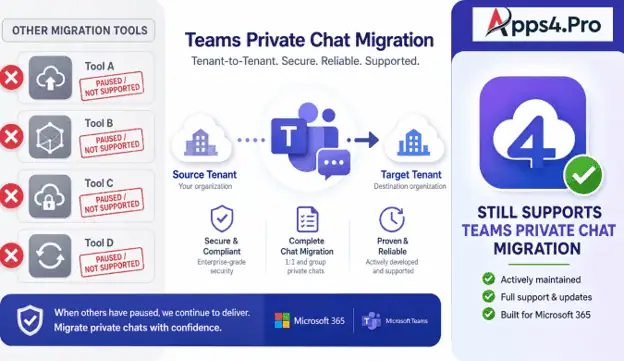
Apps4.Pro Migration Manager helps solve this challenge by continuing to support Microsoft Teams private chat migration. It migrates complete Teams private chat history into the destination tenant, so users can keep accessing and searching their conversations inside Teams after the move.
- Why Teams Private Chat Migration Has Become a Bigger Problem
- Why Many Migration Projects Get Stuck at Teams Chats
- Apps4.Pro Still Supports Teams Private Chat Migration
- What Teams Chat Types Can Apps4.Pro Migrate?
- What Content Is Preserved Inside Each Chat?
- Why Searchable Chat History Inside Teams Matters
- Why Apps4.Pro Is the Practical Choice When Other Tools Fall Short
- Use Cases Where Teams Private Chat Migration Matters Most
- Frequently Asked Questions
- Move Tenants Without Losing Microsoft Teams Private Chats
Why Teams Private Chat Migration Has Become a Bigger Problem
Many tools have stepped back from Microsoft Teams chat migration because it is one of the most complex workloads in Microsoft 365 tenant-to-tenant migration. API limitations, message reconstruction challenges, evolving security requirements, and changing Microsoft platform behavior have made reliable migration difficult.
Several migration solutions paused or limited private chat migration after encountering data integrity risks, chat history overwrite concerns, and new authentication/security changes introduced by Microsoft.
As a result, many organizations and MSPs are now searching for reliable alternatives that still support complete Teams private chat migration with historical conversations preserved.
Private chats aren’t just casual conversations. Employees use 1:1 chats, group chats, and meeting chats to confirm decisions, share files, discuss customer issues, and follow up on projects. In many organizations, teams chats now hold the same business context that once lived only in email. Losing that history during migration can affect productivity, compliance, and user confidence.
Native migration doesn’t fully solve the problem. Microsoft’s tenant migration tools commonly support mailboxes, SharePoint sites, OneDrive files, and Teams channels – but Teams chat history is a different challenge. After a tenant move, users may open Teams in the destination tenant and find that their old 1:1 chats, group conversations, and meeting discussions are gone. This forces them to hunt for missing decisions and files elsewhere, if they can find them at all.
Why Many Migration Projects Get Stuck at Teams Chats
Teams chat data is complex to reconstruct. Migrating a Teams private chat isn’t the same as copying a file or mailbox item. A useful migration must preserve conversation structure, sender details, timestamps, participants, files, inline images, reactions, and mentions. If these elements aren’t migrated correctly, the chat may technically exist but won’t be useful for users.
Archive-only migration isn’t enough. Some approaches preserve chat data as an export, archive, or mailbox folder. That may retain a record, but it doesn’t give users the same working experience inside Teams. Users don’t want to dig through a separate archive – they expect to open Teams, search their history, and find previous discussions where they normally work. That’s why organizations need real Teams chat migration, not just preservation.
Apps4.Pro Still Supports Teams Private Chat Migration
As many migration tools restrict or remove Teams private chat capability, Apps4.Pro continues to support this critical workload, giving IT teams a practical option when private chat migration becomes a blocker.
Instead of leaving private chats behind or storing them only as a separate export, Apps4.Pro brings chat history into Teams so users can keep accessing previous conversations where they expect to find them. For teams that want the actual workflow, it also supports complete historical chat migration – including required historical conversations from the source tenant – so critical communication data stays available whether the project is a merger, acquisition, split, rebranding, or tenant consolidation.
What Teams Chat Types Can Apps4.Pro Migrate?
Apps4.Pro supports the Teams chat types, organizations depend on every day: 1:1 Users chats between two users, group chats with multiple participants, meeting chats connected to Teams meetings, and archived conversations that still hold important historical context. It also migrates complete chat history – older messages, not just recent ones – giving IT teams a stronger path for preserving user communication across tenants.
What Content Is Preserved Inside Each Chat?
A migrated chat is only valuable if the conversation stays readable, searchable, and meaningful after the move. Apps4.Pro helps preserve the details users expect inside Teams chats:
- Message text and original message order.
- Timestamps and sender/participant details.
- @Mentions and conversation continuity.
- Shared files and attachments.
- Inline images and stickers.
- Emojis and likes , where supported.
This helps users understand the full context of a conversation instead of seeing disconnected or incomplete records.
Why Searchable Chat History Inside Teams Matters
Preserving chat data matters, but user experience matters just as much. If history is migrated only as an archive, users may still feel their Teams conversations are gone. Apps4.Pro keeps migrated chat history accessible inside Teams, so users can search previous messages, decisions, files, and project discussions directly from the destination tenant.
After migration, users often need quick answers: Who approved this? Where was this file shared? What came out of the meeting chat? Searchable chat history helps them find answers faster and reduces the post-migration support burden on IT teams.
Why Apps4.Pro Is the Practical Choice When Other Tools Fall Short
For IT admins, MSPs, and enterprise migration teams, private chats can become the one workload that blocks an otherwise well-planned tenant migration. Users expect their chats to be available after the move, and leadership expects important communication history to remain accessible. Apps4.Pro closes that gap by supporting complete Microsoft Teams chat history migration, giving teams a practical way to protect chat history instead of treating it as an unavoidable loss.
Use Cases Where Teams Private Chat Migration Matters Most
- Mergers and acquisitions – users move into a new tenant; preserving private chats maintains historical context and decision records across the transition.
- Tenant consolidation – when multiple tenants merge into one, Apps4.Pro helps ensure users don’t lose important chat history.
- Divestitures and business separations – when business units split into separate tenants, relevant chat history moves with the right users.
- Rebranding and domain changes – moving users into a new tenant keeps communication continuity intact.
- MSP-managed migrations – providers can address one of the hardest customer requirements: preserving Teams private conversations.
Frequently Asked Questions
Apps4.Pro can complete that missing part of the migration. It supports Teams private chat migration between tenants – including 1:1 chats, group chats, meeting chats, attachments, memberships, inline images, and stickers. See the full process in the Microsoft Teams Private Chat Migration Guide.
Move Tenants Without Losing Microsoft Teams Private Chats
Teams Private Chat history is too valuable to leave behind during a Microsoft 365 tenant migration. It holds decisions, approvals, project discussions, meeting follow-ups, shared files, and the daily business context users need after the move.
As many migration tools step back from this difficult workload, Apps4.Pro continues to migrate complete Microsoft Teams chat history – 1:1 chats, group chats, meeting chats, archived chats, historical messages, files, inline images, stickers, timestamps, participants, @mentions, and emojis where supported – into the destination tenant.
If Teams chat migration is a blocker in your tenant-to-tenant project, Apps4.Pro gives you a practical way to preserve user conversations and keep chat history searchable inside Teams.
















