


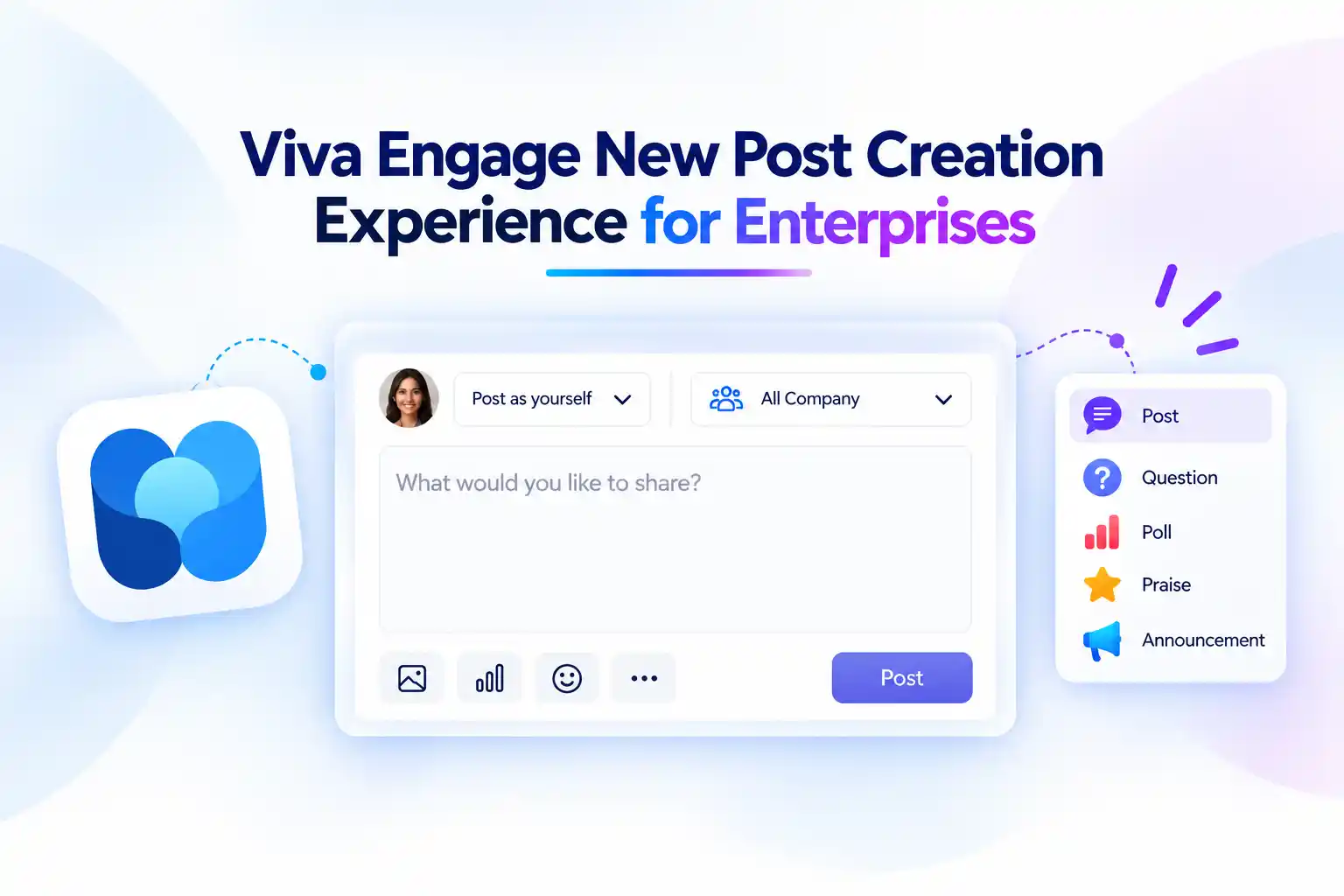
Creating an internal post should feel quick, clear, and purposeful. Whether you are sharing an important update, recognizing a colleague, asking for feedback, or starting a conversation, the publishing experience should help your message stand out without adding unnecessary steps.
Microsoft is refreshing the Viva Engage post creation experience with a cleaner and more intuitive publisher. The updated layout makes essential choices easier to find, reduces visual clutter, and helps you create engaging posts with greater confidence.
For anyone using Viva Engage to strengthen employee communication, community participation, and knowledge sharing, this update makes everyday posting feel more streamlined while preserving the familiar capabilities you already use.
A Cleaner Way to Create Viva Engage Posts
The refreshed Viva Engage publisher is designed to make post creation feel more organized from the moment you start writing. Important tools are arranged more clearly, helping you focus on the message instead of searching through the interface.
You can create posts with fewer distractions while still having access to the features needed to make conversations more meaningful.
Key improvements include:
- A cleaner Viva Engage post composer with clearer tool placement
- Improved accessibility for a more inclusive employee experience
- Easier access to essential publishing controls
- A simplified toolbar that highlights commonly used options
- Better visibility for author, destination, and post-type selection
- The same familiar Viva Engage post creation capabilities
These changes can make a noticeable difference when you are posting regularly, especially in busy communities where clear and timely communication matters.
Author and Audience Choices Move Up Front
Before you publish, it is important to confirm who the post is coming from and where it should appear. The refreshed Viva Engage publisher brings these key choices to the top of the composer.
If you create posts on behalf of a leader, executive, or another approved person, the Post on behalf of option is now easier to review before publishing. This helps you ensure the right person is represented in the conversation.
Post on behalf of selection is now at the top of the Viva Engage publisher
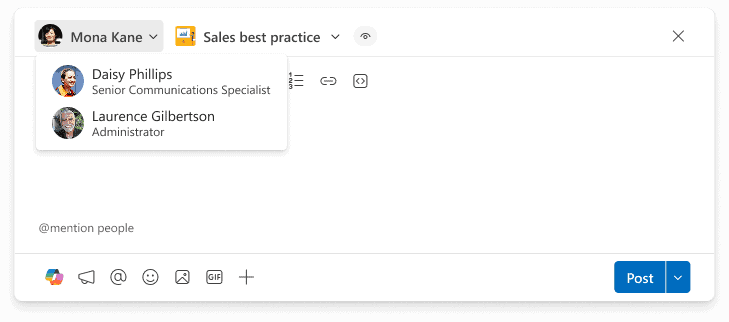
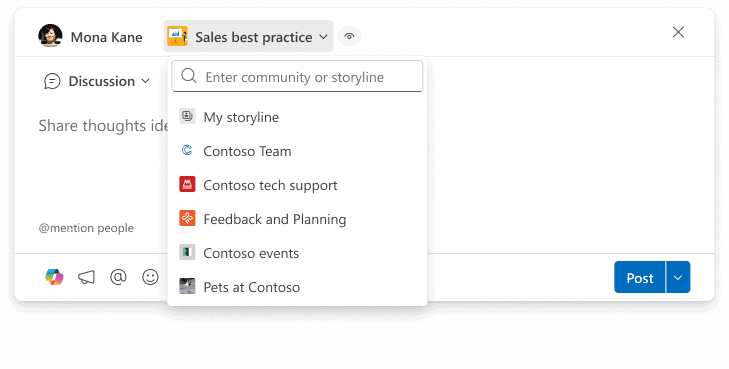
The post destination is also more visible. You can quickly confirm whether your message should be shared on a personal Storyline or in a specific Viva Engage community.
This helps reduce the risk of posting an update in the wrong location and makes it easier to share content with the audience that will find it most useful.
Destination (Storyline and Community) selection is at the top of the Publisher:
💡 The “Right Audience, Right Update” Prompt
A simple reminder can help employees choose the right destination for every post.
Use a short prompt in your internal communication guidance:
Before publishing, ask: Is this update best suited for my Storyline, a community, or the wider organization?
You can encourage people to think about each destination in a practical way:
- Use Storyline to share personal achievements, lessons learned, professional updates, and cross-company perspectives
- Use Communities for team discussions, topic-based knowledge sharing, and focused conversations
- Use leadership communication spaces for important organizational messages, business updates, and company-wide announcements
When people understand where their content belongs, conversations become easier to discover and more relevant for everyone involved.
Essential Posting Tools, Without the Clutter
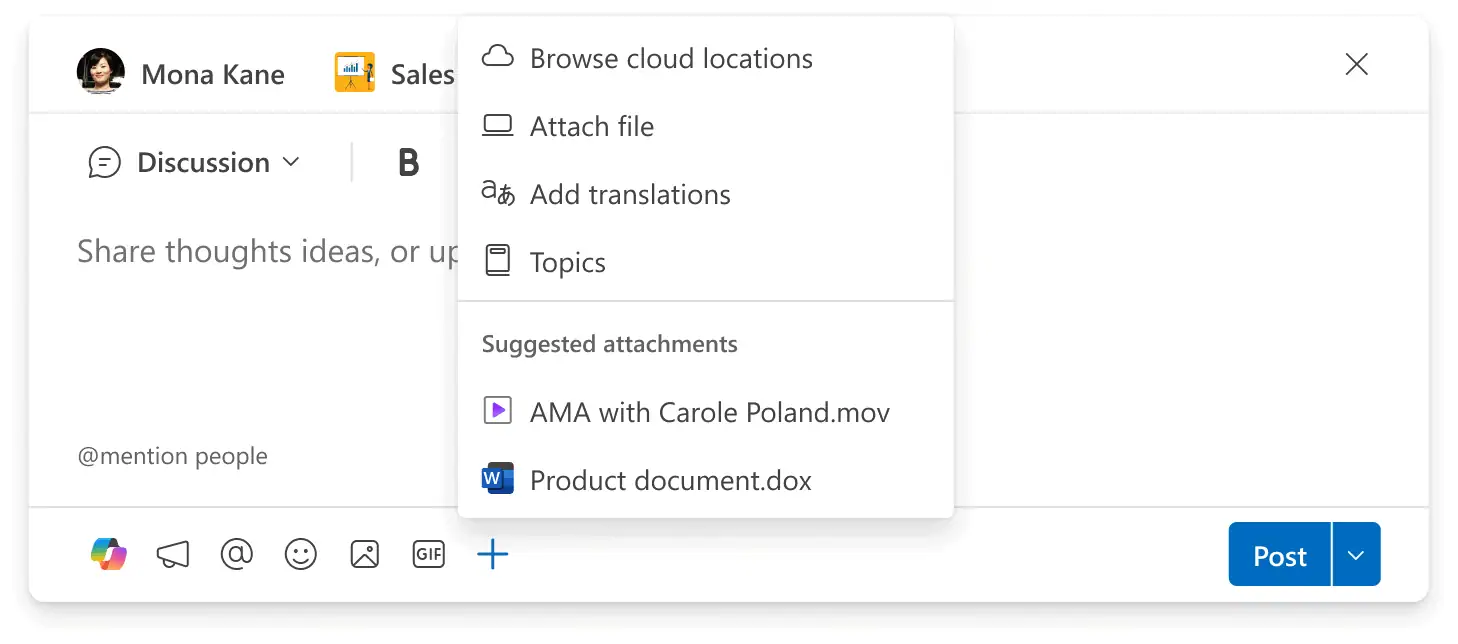
A good publishing experience gives you the tools you need without overwhelming you with too many choices at once. The updated Viva Engage composer uses a simplified toolbar at the bottom of the publisher to make frequently used options easier to access.
Additional options are still available through the + icon, so you can expand your post when you need more than a simple text update.
This makes it easier to begin with a clear message and add the right interactive element when it supports your goal.
Simplified toolbar and additional options in Viva Engage
Choose the Best Post Type for the Message
Every internal message has a different purpose. Some updates need a quick reaction, while others need thoughtful discussion, recognition, or feedback.
The refreshed post creation experience makes the post-type menu easier to find at the top of the Viva Engage publisher. This helps you select the best format before you begin writing.
Change the Viva Engage post type from the publisher menu
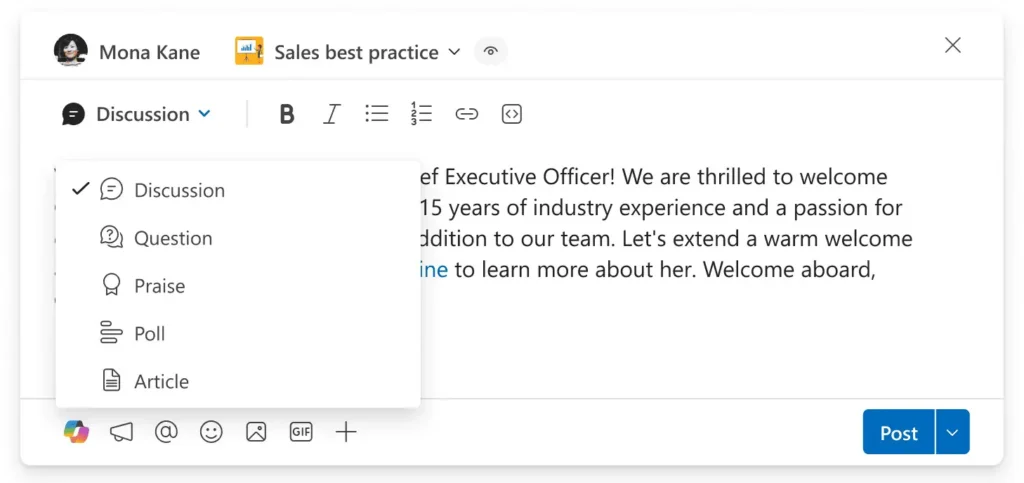
Choosing a post type that matches your goal can improve participation and make the next action clearer for readers.
For example:
- Choose a question when you want ideas, advice, or expert input
- Choose a poll when you want fast feedback on a focused topic
- Choose praise when you want to recognize an individual or team
- Choose an announcement when the message needs clear visibility and importance
- Choose a standard post when you want to start an open discussion
A well-chosen post format gives your audience an easy reason to respond.
🚀 Turn Weekly Updates Into Two-Minute Polls
Weekly updates are useful, but long messages do not always encourage participation. A quick poll can turn a routine update into a simple and engaging employee interaction.
For example, you can ask:
Which topic should our next internal learning session cover?
- Microsoft Copilot productivity tips
- Microsoft Teams collaboration
- SharePoint document management
- Cybersecurity best practices
Once the poll closes, share the result in a short follow-up post. Invite employees to add questions or examples they want included in the session.
This approach makes employees feel involved while helping you create more relevant internal learning content.
Accessible Viva Engage Posting Practices for Broader Participation
Employee communities are strongest when more people can comfortably take part. The refreshed Viva Engage post creation experience includes accessibility improvements that can support a more inclusive publishing and engagement experience.
Clearer layouts and easier access to tools can help people create and interact with posts more effectively.
You can also support accessibility through the way you write and publish content.
Consider these simple posting practices:
- Use clear opening lines that explain the main purpose of the post
- Keep paragraphs short and easy to scan
- Use plain language wherever possible
- Add meaningful descriptions when sharing images or visual content
- Avoid relying only on colour to communicate important information
- Use headings and bullet points to structure longer updates
- Ask focused questions that make it easier for people to contribute
Making communication easier to understand benefits everyone, not only people who use accessibility features.
No Admin Setup Required, But User Awareness Matters
The refreshed Viva Engage post creation experience does not require any special admin configuration. Existing publishing capabilities remain available, so users can continue creating the posts, discussions, polls, praise messages, and announcements they rely on today.
However, a little preparation can help employees feel comfortable with the updated layout from their first post.
Consider taking these steps:
- Inform employees that the Viva Engage publisher has a refreshed layout
- Update internal training guides, help articles, and screenshots
- Make sure support teams understand where important publishing controls are now located
- Share a short internal post introducing the updated experience
- Encourage community managers to demonstrate how to select a destination and post type
- Review your internal guidance for Storylines, communities, and leadership communication
A brief introduction can turn a user-interface update into an opportunity to encourage more confident and consistent employee communication.
Launch a “First Post Friday” Community Challenge
Use the refreshed publisher as a reason to invite more people into the conversation.
Create a simple “First Post Friday” challenge and ask employees to share one helpful contribution in a Viva Engage community.
Suggested prompts include:
- Share one productivity tip that saves you time
- Recognize a colleague or team that made a difference
- Post one lesson learned from a recent project
- Ask one question you would like an expert to answer
- Share a useful Microsoft 365 feature or shortcut
Encourage community managers and leaders to respond early. A quick reply can make contributors feel seen and motivates more people to participate.
The Bottom Line: Simpler Posting, Stronger Employee Engagement
Strong employee communities depend on more than having a platform available. People need a simple and comfortable way to share ideas, ask questions, recognize others, and contribute to conversations.
The refreshed Viva Engage publisher helps make those everyday actions feel more focused. With clearer author and destination choices, an easier-to-use toolbar, accessible design improvements, and visible post-type controls, creating internal content becomes more straightforward.
For internal communications teams, community managers, HR teams, and Microsoft 365 administrators, this is a valuable opportunity to refresh employee communication habits.
Use the updated experience to encourage better posting practices, promote meaningful discussions, and make it easier for every employee to share what they know.
Learn More from Microsoft
Explore these Microsoft resources to help employees create clearer posts, choose the right format, and engage more confidently in Viva Engage.
















