


- How We Compared These Tools
- Microsoft 365 Email Migration Tools Compared At A Glance
- The 10 Best Microsoft 365 Email Migration Tools, Reviewed
- How To Choose The Right Migration Tool For Your Scenario
- Microsoft 365 Email Migration: What Actually Goes Wrong
- Which Migration Tool Should You Choose?
- Frequently Asked Questions About M365 Email Migration
Key Takeaways
- Microsoft’s native cross-tenant mailbox migration requires a per-user Cross-Tenant User Data Migration add-on license; migrations fail without it.
- Microsoft’s native migration deletes the source mailbox after a successful move and does not migrate Teams.
- In native migration, mailbox permissions survive only when principal and delegate move in the same batch; Send-on-Behalf does not move.
- BitTitan MigrationWiz, owned by Idera since October 2021, is the widest pure mailbox mover, priced per user from $14 (verified September 2026).
- CodeTwo Office 365 Migration uses one-time per-mailbox licensing, the cheapest structure for a single Exchange-to-M365 project.
- ShareGate Migrate caps single-mailbox migration speed at 1.5 GB per hour, per ShareGate’s documentation.
- Apps4.Pro Migration Manager uses flat per-installation pricing from $5,995, independent of user count (verified September 2026).
- Apps4.Pro does not migrate Outlook client-side rules, and migrated calendar links still reference the source tenant.
A Microsoft 365 email migration rarely fails on the mail itself. Copying messages between two Exchange Online tenants is the easy part. Migrations fail on the things nobody demos: in-place archives that outgrow the primary mailbox, shared mailboxes whose Send-As permissions vanish, delegate access that breaks the morning after cutover, calendar invites still pointing at the old tenant, and a DNS switch that has to land at 2 am.
Pick a Microsoft 365 email migration tool for how it handles those. This guide compares the ten best Office 365 email migration software options for 2026 based on the criteria that determine whether the cutover weekend goes quietly.
How We Compared These Tools
We evaluated each Microsoft 365 email migration tool against eight consistent criteria, applied identically to all ten. This is a documentation- and review-based comparison built from vendor product pages, Microsoft Learn, and public review platforms. It is not a lab benchmark: we did not run hands-on throughput tests and report no speed numbers of our own.
The eight criteria are email workload depth (user, shared, archive, group, and public-folder mailboxes, plus rules, permissions, and delegation); source and destination coverage; scale and throughput; coexistence and cutover control; reporting and audit; setup complexity; support model; and pricing transparency. Sources, in priority order, were vendor documentation, Microsoft Learn, the Microsoft Commercial Marketplace, and review platforms (Gartner Peer Insights, G2, Capterra) for review claims only. We verified ownership and that each product is active and purchasable as of September 2026.
Microsoft 365 Email Migration Tools Compared At A Glance
The table below summarizes all ten Microsoft 365 email migration tools before the detailed write-ups. Use it to shortlist, then read each candidate’s entry.
| # | Tool | Best for | Email depth | Other workloads | Deployment | Pricing model | Free trial |
|---|---|---|---|---|---|---|---|
1 | Apps4.Pro Migration Manager | Email plus surrounding M365 workloads in one platform | User, shared, group, archive, public folders | SharePoint, OneDrive, Teams channels + chats, Planner & Planner Premium, Forms, Power BI/Automate, Viva Engage, Bookings | Installed app (Graph + PowerShell) | Flat per-installation, from $5,995 | 15-day |
2 | BitTitan MigrationWiz | Widest source coverage, pure mailbox moves | Mailbox, archives, shared, public folders (add-on) | OneDrive, SharePoint, Teams (bundles) | SaaS | Per user, from $14 | Free account |
3 | Microsoft native cross-tenant | Mailbox + OneDrive moves with no third-party tool | User-visible content; shared/resource/room | OneDrive, Teams chats/meetings (orchestrator, preview); SharePoint sites separate; no Teams channels | PowerShell + MRS | Per-user add-on (quote) | N/A |
4 | CodeTwo Office 365 Migration | One-time-cost Exchange-to-M365 projects | All items, primary+archive, shared, public folders | None | Windows console (EWS) | One-time per mailbox | 30-day |
5 | Quest On Demand Migration | Enterprise M&A with coexistence + labels | Primary, archive, shared, public, resource, delegate | OneDrive, SharePoint, Teams | SaaS | Quote (T3/T5/T7 per user) | Via sales |
6 | ShareGate Migrate | SharePoint-led moves that also need mailboxes | User, shared, resource, M365 Group, archive, calendar, contacts | SharePoint, Teams, OneDrive, file shares | API (M365) | Flat annual subscription, from $5,995 (Essentials). | Trial |
7 | AvePoint Fly | Unlimited-data enterprise tenant moves | User, shared, resource, archive; public folders. | Teams, Microsoft 365 Groups, SharePoint, OneDrive, Planner, Power Platform | SaaS or self-hosted | Per user/year, unlimited GB | Free discovery |
8 | CloudFuze Migrate | Managed large-scale consolidations | Mailbox, shared, calendar, contacts, delta | OneDrive, SharePoint, Teams | API/Graph, managed | Quote-based | Assessment |
9 | Cloudiway | MSPs running multi-source moves with coexistence | User, shared, resource, archive, distribution lists; no public folders | OneDrive, SharePoint, Teams, Slack, Google Chat, Intune | SaaS | Bundled licenses, from $570 (50 mail licenses), never expire | Free trial |
10 | Kernel Migrator for Exchange | Small one-time desktop-driven moves | Mailbox, shared, public folders, archives | SharePoint/OneDrive/Teams (vendor-stated) | Windows desktop | One-time, tiered | Demo (10 items/folder) |
The 10 Best Microsoft 365 Email Migration Tools, Reviewed
The best Microsoft 365 email migration tool depends on your scenario, not on a single leaderboard. Each of the ten entries below uses the same template: what it is, verified email capabilities, other workloads, real limitations, pricing, and fit and rankings reflect fit for email migration specifically. Where a competitor owns a category, this guide says so.
1. Apps4.Pro Migration Manager: Best for email plus the workloads that travel with it
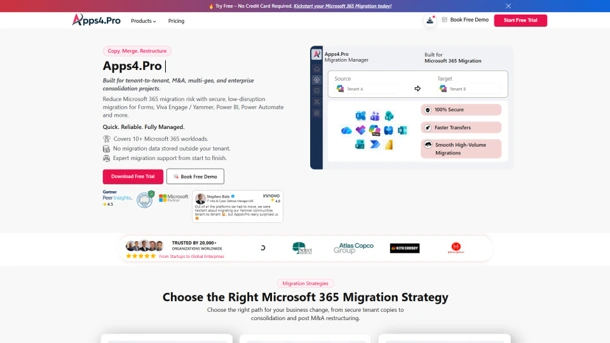
Apps4.Pro Migration Manager fits best when an “email migration” is really a whole-user migration: user, shared, group, and archive mailboxes plus public folders, moving alongside Teams channels and chats, Planner, and SharePoint in one platform rather than three separate tools.
Apps4.Pro Migration Manager is a Microsoft 365 tenant-to-tenant migration tool from JiJi Technologies Private Limited (brand: Apps4.Pro), a Microsoft Solutions Partner. It installs as an application and runs on the native Microsoft Graph API and PowerShell, with parallel migration across multiple machines. Apps4.Pro states that no migration data is stored outside your tenant (vendor-stated).
Email migration capabilities:
- Migrates user, shared, group, in-place archive, and public folder mailboxes, per the Apps4.Pro Exchange mailbox migration guide.
- Moves emails, calendars, contacts, tasks, server-side rules, and folder permissions in one flow.
- Runs incremental/delta passes so source and target stay converged until cutover.
- Beyond email, migrates SharePoint, OneDrive, Teams channels (standard, private, and shared, with posts, files, and tabs), Teams chats (1:1, group, and meeting chats, restored as native Teams messages via Microsoft Graph and indexed for search in the target), Planner and Planner Premium, Forms, Power BI, Power Automate, Viva Engage, and Bookings.
Limitations:
- Apps4.Pro does not migrate Outlook client-side rules; per Apps4.Pro’s documentation, Outlook-only rules and organization-level transport rules must be recreated in the target.
- Migrated calendar meeting links often reference the source tenant, so some meetings may need to be re-sent.
- Default attachment-size limits apply and may need configuration for very large attachments (confirm current limit with Apps4.Pro).
Pricing: flat per-installation license $5,995 (1 machine), $8,995 (5 machines), $17,995 (20+ machines) independent of user count; annual and renewable (verified September 2026; confirm current figures at apps4.pro/pricing before purchase).
Best fit: M&A or consolidation where the same users carry mail, Teams, Planner, and SharePoint. Not a fit: a tiny mailbox-only move where a one-time per-mailbox tool costs less.
2. BitTitan MigrationWiz: Best for the widest source coverage and pure mailbox moves

MigrationWiz is the pure mailbox mover to beat: for bulk Exchange mailboxes from almost any source, BitTitan’s platform is the reference tool.
MigrationWiz is BitTitan’s fully SaaS migration platform; BitTitan has been owned by Idera, Inc. since October 2021 and works as a stateless broker, moving content API-to-API while only project metadata sits in the BitTitan control plane.
Email migration capabilities:
- Full-fidelity mailbox migration, including personal archives, shared mailboxes, and resource calendars.
- Public folder migration as a separate line item.
- Delta and pre-stage passes to keep source and target converged before cutover.
- The widest source roster here: Exchange on-prem, M365, Google Workspace, Slack, Box, Dropbox, Egnyte, IMAP, Notes and GroupWise, per BitTitan’s sources and destinations.
Beyond email, BitTitan MigrationWiz covers OneDrive, SharePoint, and Teams through higher bundles.
Limitations:
- MigrationWiz cost scales with user count, a per-user model that grows as the tenant grows.
- Public folders are billed separately at $114 per 10 GB.
- SharePoint and Teams require the pricier bundles, not the base mailbox license.
Pricing: per-user mailbox $14, User Migration Bundle $17.50, Tenant Migration Bundle $57; Public Folders $114 per 10 GB (verified September 2026). BitTitan reports 15 million-plus mailboxes migrated to date (vendor-stated, 2019).
Best fit: MSPs and IT teams moving mailboxes from varied or legacy sources. Not a fit: buyers who want one flat fee regardless of headcount.
3. Microsoft native cross-tenant mailbox migration: Best for mailbox and OneDrive moves without a third-party tool
Microsoft’s native cross-tenant mailbox migration moves mailboxes and OneDrive between tenants with no third-party product, but it is a PowerShell exercise, deletes the source mailbox on completion, and requires a paid add-on license.
Cross-tenant mailbox migration is a built-in Microsoft capability using Exchange Online PowerShell and the Mailbox Replication Service, driven by an Entra app registration with the Mailbox. Migration permission, a migration endpoint, and an organization relationship.
Email migration capabilities:
- Migrates user-visible content: email, contacts, calendar, tasks, and notes plus Recoverable Items, per Microsoft’s cross-tenant documentation.
- Supports regular, shared, resource, and room source mailboxes; shared mailboxes move and keep store permissions.
- Supports incremental syncs within mailbox batches ahead of cutover.
- Microsoft states a hard ceiling: do not exceed 2,000 mailboxes per batch.
Beyond email, the same add-on covers OneDrive; SharePoint site migration is licensed separately (per 100 GB, Enterprise Agreement customers), and Teams is not migrated natively.
Limitations:
- After a successful move, the source mailbox is deleted and is not recoverable in the source tenant, per Microsoft’s documentation.
- Mailbox permissions survive only when principal and delegate move in the same batch; Send-on-Behalf must be re-stamped in the target.
- Held mailboxes are blocked; Teams meeting URLs break and must be recreated; signatures are not migrated, and Outlook profiles need rebuilding after cutover.
Pricing: the Cross-Tenant User Data Migration add-on is a per-user, one-time fee, assignable on source or target; migrations fail without it, with no exceptions. List price is not published; contact your Microsoft account team.
Best fit: cloud-only tenant merges with strong PowerShell skills and no Teams-history requirement. Not a fit: teams needing coexistence, Teams migration, or a point-and-click console.
4. CodeTwo Office 365 Migration: Best for one-time-cost Exchange-to-Microsoft 365 projects
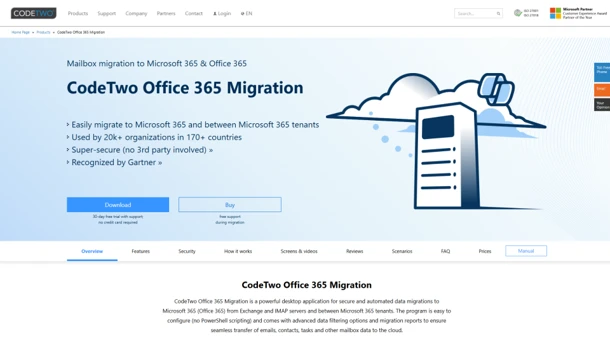
CodeTwo Office 365 Migration has the friendliest price structure for a single mailbox project: one-time, per mailbox, with delta sync included until cutover.
CodeTwo Office 365 Migration, from CodeTwo (Poland), is a Windows console application that migrates mailboxes into Microsoft 365 over EWS. CodeTwo reads the source passively, so nothing is modified or removed from either tenant during the move.
Email migration capabilities:
- Migrates all mailbox item types: email, calendar, contacts, tasks between M365 tenants and from Exchange or IMAP.
- Covers the primary and the in-place archive mailbox on one license.
- Licenses shared mailboxes like standard users and supports a public folder database.
- Runs automatic delta sync on a scheduler (for example, nights-only) until cutover.
Beyond email, CodeTwo Office 365 Migration covers nothing; it is mailbox and public-folder only, with no SharePoint, OneDrive, or Teams.
Limitations:
- CodeTwo Office 365 Migration does not migrate SharePoint, OneDrive, or Teams at all.
- CodeTwo requires a Windows machine and an admin to drive the project.
- Throughput is bound by EWS from your own workstation.
Pricing: one-time per mailbox on declining tiers; CodeTwo’s own example is roughly $6.76 per mailbox at 100 licenses, falling for additional blocks. A public folder database consumes 100 mailbox licenses; the minimum is 10 mailboxes (verified September 2026).
Best fit: a one-time Exchange-to-M365 cutover, mailboxes only, with a competent admin. Not a fit: anyone needing SharePoint/Teams content or a hands-off service.
5. Quest On Demand Migration: Best for enterprise M&A with coexistence and protected content
Quest On Demand Migration is the enterprise coexistence specialist: wave-based batches, directory sync, email rewrite, and migration of sensitivity-label-protected mail between tenants.
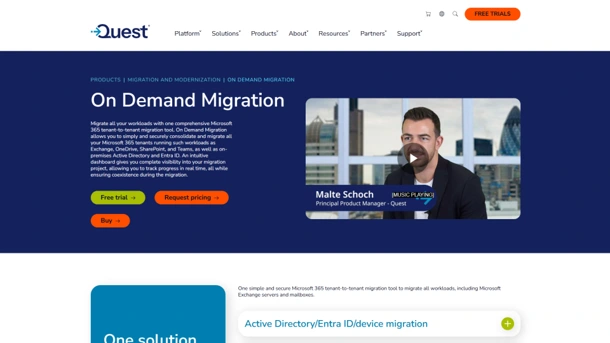
Quest On Demand Migration (ODM), from Quest Software, is an Azure-hosted SaaS platform that centralizes tenant-to-tenant migration of Exchange Online, OneDrive, SharePoint, and Teams, with discovery, identity mapping, dashboards, and reporting.
Email migration capabilities:
- Migrates mail to primary and archive mailboxes while preserving shared mailboxes, public folders, resource mailboxes, delegate access, permissions, and rules.
- Runs coexistence via Directory Sync, Email/Domain Rewrite, and free/busy sharing during transition.
- Supports pre-staging, delta passes, and a Desktop Update Agent to reconfigure Outlook.
- Migrates Exchange content protected by sensitivity labels between tenants.
Beyond email, Quest On Demand Migration covers OneDrive, SharePoint, and Teams in wave-based batches.
Limitations:
- Quest On Demand Migration pricing is quote-only, with no public list to plan against.
- Licensing is consumed per migrated user account.
- Quest On Demand Migration removes existing rules from the target tenant before migrating source rules, which needs planning where targets are pre-seeded.
Pricing: quote-based, structured as T3 / T5 / T7 subscription tiers per user; Active Directory modules are licensed separately (verified September 2026, quote-only).
Best fit: large M&A or divestiture programs needing coexistence and protected-content handling. Not a fit: small teams wanting transparent self-service pricing.
6. ShareGate Migrate: Best for SharePoint-led moves that also need mailboxes
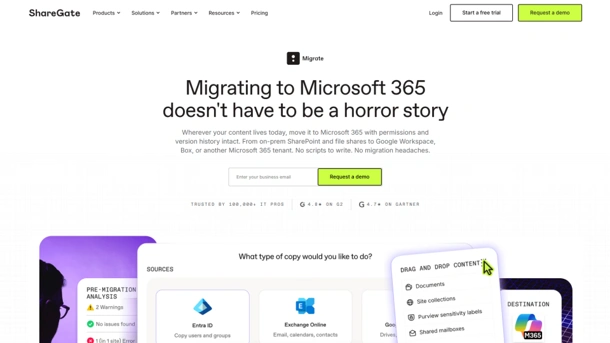
ShareGate Migrate earned its name in SharePoint and Teams migration; its mailbox feature is a capable add-on for tenant moves, within clear source and speed limits.
ShareGate Migrate, a ShareGate product owned by Workleap, is a Microsoft 365 migration tool with a drag-and-drop interface that runs on the Microsoft 365 APIs and aligns identity in Entra ID before content moves.
Email migration capabilities:
- Migrates user, shared, resource, and group mailboxes, calendars, contacts, and archive mailboxes.
- Lets you select exactly what content to copy per mailbox.
- Limits mailbox sources to Exchange Online and Google Workspace, both into Exchange Online.
- Follows an identity-first, then-mailboxes, then-content sequence in one tool.
Beyond email, ShareGate Migrate covers SharePoint, Teams, OneDrive, and file shares, the workloads it is best known for.
Limitations:
- Per ShareGate’s documentation, single-mailbox migration speed is capped at 1.5 GB per hour.
- ShareGate mailbox source coverage is narrow (Exchange Online and Google Workspace only); folder permissions and mail flow (transport) rules are not preserved.
- PowerShell integration requires the Pro or Enterprise plan.
Pricing: flat annual subscription (Essentials from $5,995/year, per G2), with no per-mailbox fee. Higher plans allow more simultaneous migrations; mailbox migration requires Pro or Enterprise.
Best fit: organizations whose main job is SharePoint/Teams but who also need mailboxes moved in the same tool. Not a fit: large mailbox-heavy moves where the per-mailbox speed cap matters.
7. AvePoint Fly: Best for unlimited-data enterprise tenant moves
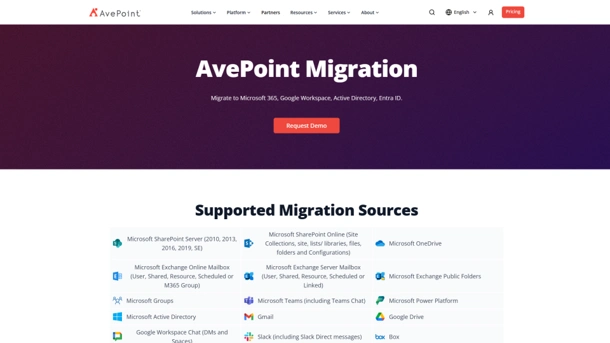
AvePoint Fly suits large migrations with unpredictable data volume: its per-user subscription includes unlimited GB, so a few very large mailboxes don’t inflate the bill.
Fly, from AvePoint, Inc., is a migration platform available as AvePoint-hosted SaaS or self-hosted, covering full Office 365 tenant-to-tenant scope. Discovery and scanning are free.
Email migration capabilities:
- Migrates Exchange mailboxes as part of a full-tenant workload set.
- Handles cross-tenant and granular migrations.
- Supports incremental passes.
- Applies no data-size cap on the subscription, which suits archive-heavy mailboxes.
Beyond email, AvePoint Fly covers Teams, Groups, SharePoint, OneDrive, Planner, and Power Platform in one subscription.
Limitations:
- AvePoint Fly uses a per-user annual subscription, a recurring cost versus one-time desktop tools.
- Power Platform migration is priced separately, per app or flow.
- Fly delivers best value at scale and is less economical for very small jobs.
Pricing: per user per year with unlimited GB and Premier support included; published reference points land around $4.29/user (reseller listing) and roughly £1.42–£1.55 per user per month at 500+ users on the UK G-Cloud framework (verified September 2026). AvePoint does not publish a single global list price.
Best fit: enterprises with large, uneven data volumes wanting all workloads on one subscription. Not a fit: a 20-mailbox one-off where a one-time license is cheaper.
8. CloudFuze Migrate: Best for managed large-scale consolidations

CloudFuze Migrate leans to the managed, white-glove end: Graph-based mailbox moves with delta syncs, wrapped in an engineer-led service for large consolidations.
CloudFuze Migrate, from CloudFuze, Inc., is an API and Microsoft Graph-based migration platform offered self-serve or as a fully managed service, with parallel processing for large tenant-to-tenant projects.
Email migration capabilities:
- Migrates mailbox contents inbox, sent, drafts, junk, deleted with read/unread state and timestamps preserved.
- Moves calendars, contacts, tasks, and notes, plus shared mailboxes with permissions.
- Supports one-time plus delta/incremental syncs.
- Uses deep Microsoft Graph integration to preserve metadata across the move.
Beyond email, CloudFuze Migrate covers OneDrive, SharePoint, and Teams channel messages.
Limitations:
- CloudFuze Migrate pricing is quote-only, with no public per-user list.
- CloudFuze is frequently positioned as a managed service rather than a pure self-serve product.
- CloudFuze’s scale and customer-count figures are vendor-stated, not independently audited.
Pricing: quote-based, across managed-service and platform options; CloudFuze holds SOC 2 Type II, GDPR, and ISO 27001 (verified September 2026, quote-only). CloudFuze reports 10,000-plus-user, petabyte-scale projects (vendor-stated).
Best fit: complex, high-volume consolidations where engineers own delivery. Not a fit: buyers who need published self-service pricing and a purely DIY tool.
9.Cloudiway: Best for MSPs running multi-source email migrations with coexistence
Cloudiway is built for MSPs and IT teams moving mail from many kinds of sources. It pairs mailbox migration with GAL, free/busy, and mail-routing coexistence, and its bundled licenses never expire.
Cloudiway, from Cloudiway (founded 2010, Annecy, France), is an ISO 27001-certified SaaS migration platform. It has a multi-tenant dashboard and white-label options for MSPs. Cloudiway states that migration runs in memory and that no mail content persists on its platform (vendor-stated).
Email migration capabilities:
- Migrates emails, contacts, calendars, tasks, notes, inbox rules, archives, shared mailboxes, rooms and equipment, and distribution lists, per Cloudiway’s mailbox migration documentation.
- Covers a broad source roster: Microsoft 365, Exchange on-prem (2010 to 2019), Google Workspace, Zimbra, Lotus Notes/Domino, and IMAP.
- Runs unlimited delta passes; only new or changed items are pushed on each pass.
- Offers a Cross-Tenant Mailbox Migration Orchestrator that drives Microsoft’s native engine and restores Full Access and SendAs permissions, which the native engine does not carry across batches.
Beyond email, Cloudiway covers OneDrive, SharePoint, Teams, Slack, Google Chat, and Intune, plus coexistence tools (GALSync, Free/Busy, Mail Routing).
Limitations:
- Per Cloudiway’s Microsoft 365 mail migration guide, public folders are not supported, and signatures, out-of-office messages, and calendar attachments are not migrated.
- Cloudiway does not provision mailboxes, so every target mailbox must be created and licensed before migration starts.
- Mapping-table errors cannot be fixed with a delta pass; Cloudiway’s documentation says the migration must be erased and restarted with new licenses.
- Delta passes run within a 90-day window after the first pass.
Pricing: bundled, one-time licenses that never expire, with unlimited delta passes. Standard (single workload, such as Mail) is $570 for 50 licenses.
Best fit: MSPs and IT teams migrating from Gmail, Exchange, Zimbra, or Lotus Notes who need coexistence during the transition. Not a fit: public-folder-heavy moves, or buyers who want the tool to provision target mailboxes.
10. Kernel Migrator for Exchange: Best for small, one-time desktop-driven moves
Kernel Migrator for Exchange is a low-cost Windows desktop option for small, one-time Exchange and Microsoft 365 mailbox moves driven by an admin.
Kernel Migrator for Exchange (and the related Kernel Office 365 Migration), from KernelApps / Nucleus Technologies, is Windows desktop software supporting intra-forest, cross-forest, and hybrid migrations, plus tenant-to-tenant moves into Microsoft 365.
Email migration capabilities:
- Migrates full mailboxes: email, calendar, contacts, tasks, rules with advanced filters.
- Supports shared mailboxes, public folders, and archive mailboxes.
- Handles bulk mailboxes within a license tier.
- Runs pre- and post-migration checks.
Beyond email, Kernel reports coverage of Exchange Online, SharePoint Online, OneDrive, and Teams (vendor-stated)
Limitations:
- Kernel Migrator for Exchange is a Windows desktop tool, so throughput and orchestration depend on the machine running it.
- The free demo caps migration at 10 items per folder.
- Kernel’s broader workload claims are vendor-stated, and the brand spans several near-identical SKUs, which can complicate licensing.
Pricing: one-time and tiered, for example, $199 for Migrator for Exchange (50 mailboxes) and Kernel Office 365 Migration from $149 for 50 mailboxes, with higher complete tenant-to-tenant editions (verified September 2026).
Best fit: small businesses or admins wanting an inexpensive one-time desktop tool. Not a fit: enterprise-scale coexistence or high-assurance audited migrations.
How To Choose The Right Migration Tool For Your Scenario
The right Microsoft 365 email migration tool depends on the shape of the move, and the honest answer often names a competitor.
- M&A consolidation (mail plus Teams, Planner, SharePoint): Apps4.Pro Migration Manager, or Quest On Demand Migration for coexistence and protected content; AvePoint Fly for unlimited-data breadth.
- Divestiture or carve-out: Quest On Demand Migration for coexistence and email rewrite, or CloudFuze Migrate for managed, engineer-led splits.
- Google Workspace to Microsoft 365: BitTitan MigrationWiz for the widest source support; ShareGate Migrate when SharePoint content moves too.
- On-prem Exchange to Microsoft 365: CodeTwo Office 365 Migration for a low-cost one-time project; BitTitan or Kernel for varied sources.
- Archive or PST-heavy ingestion: AvePoint Fly (unlimited GB) or BitTitan (per-10-GB public folders); confirm archive licensing first.
- MSPs running many client migrations: SkyKick Migration Suites or BitTitan MigrationWiz for repeatable, channel-friendly workflows.
- UK or US enterprise procurement: AvePoint Fly is on the UK G-Cloud framework; BitTitan, Quest, and Apps4.Pro appear on US enterprise shortlists.
- No third-party tool, cloud-only merge: Microsoft native cross-tenant migration, given PowerShell skills and no Teams history needed.
Microsoft 365 Email Migration: What Actually Goes Wrong

Most Microsoft 365 email migration failures trace to a few predictable issues: skipped inventory, API throttling, missing app registrations, lost permissions, broken calendars, and a rushed DNS cutover. Plan for each before you move a single mailbox.
Pre-migration inventory. Enumerate user, shared, resource, group, and archive mailboxes, plus public folders, delegates, and Send-As grants. Flag every mailbox on litigation or retention hold. Microsoft’s native cross-tenant migration blocks held mailboxes outright.
Throttling. Exchange Online and Microsoft Graph throttle heavy jobs. Batch by waves, run large moves off-peak, and let delta passes catch the remainder. Check Microsoft’s Exchange Online limits and best-practices documentation before sizing batches, and respect Microsoft’s 2,000-mailbox-per-batch ceiling for native moves.
Authentication. Native migration needs an Entra app registration with the Mailbox. Migration permission, a migration endpoint, and an organization relationship. Third-party tools need modern-auth consents on both tenants, and conditional-access or MFA policies can block discovery if not scoped.
Delegation and Send-As. These are the quiet failures. In native migration, mailbox permissions survive only when principal and delegate move in the same batch, and Send-on-Behalf must be re-stamped after conversion. Map delegate chains before you wave up users.
Calendar integrity. Recurring meetings, room bookings, and invite links need checking after the move. Native migration leaves Teams meeting URLs invalid in the target, so those meetings must be recreated, and migrated calendar links can still reference the source tenant.
Cutover and delta passes. Lower MX TTL ahead of cutover, run a final delta pass to catch mail that arrived mid-migration, then switch MX and Autodiscover. Validate with internal and external test mail before calling it done.
Which Migration Tool Should You Choose?
The best Microsoft 365 email migration tool is the one that matches your scenario: mailbox-only versus whole-user, one-time versus recurring, DIY versus managed. Read each vendor’s documentation linked above and run a small pilot before committing.
If your migration is really a whole-user move mail, archives, Teams, Planner, and SharePoint together Apps4.Pro Migration Manager consolidates it in one platform, with a free inventory scan and a 15-day trial (no credit card) to test against your own tenant first.
















