


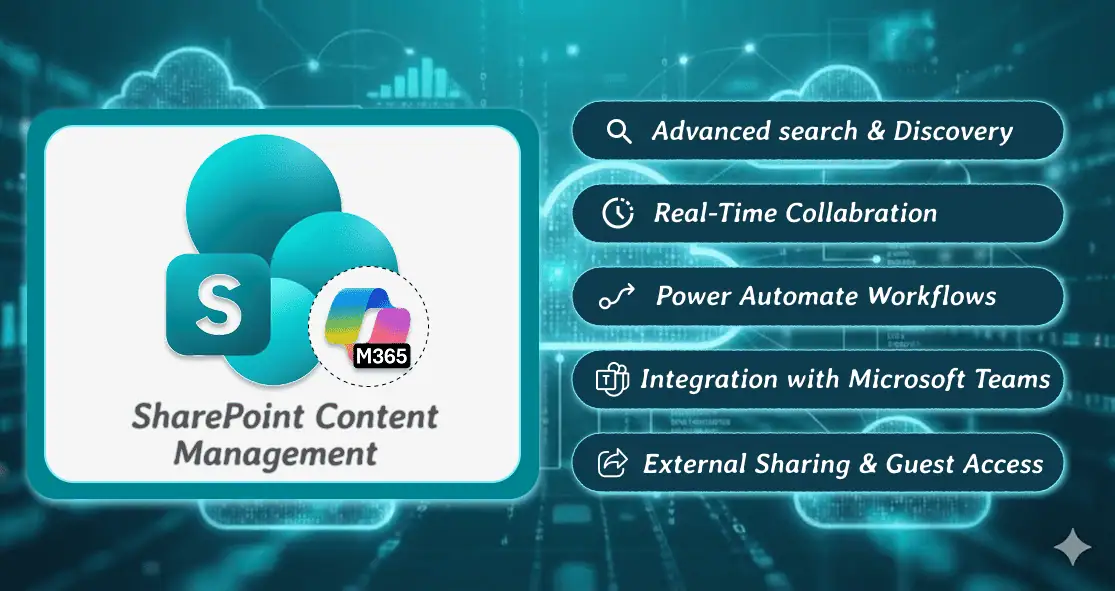
In today’s digital workplace, content is the backbone of productivity, collaboration, and compliance. With organizations generating massive volumes of documents every day, having a robust content management system is no longer optional-it’s essential. SharePoint Content Management in Microsoft 365 offers a powerful, secure, and scalable solution to organize, manage, share, and govern enterprise content across teams and departments.
This ultimate guide will walk you through everything you need to know about content management in Microsoft SharePoint Online, including features, benefits, best practices, governance, automation, and real-world use cases-optimized for 2025 and beyond.
- What Is SharePoint Content Management?
- Why SharePoint Is a Leading Content Management System in Microsoft 365?
- Core Components of SharePoint Content Management
- Key Features of SharePoint Content Management in Microsoft 365
- SharePoint vs Traditional File Servers for Content Management
- Best Practices for Effective SharePoint Content Management
- Real-World Use Cases of SharePoint Online Content Management
- SharePoint Content Management and AI (Copilot Integration)
- Migrating to SharePoint for Content Management
- Benefits of SharePoint Content Management in Microsoft 365
- Final Thoughts
- Frequently Asked Questions
What Is SharePoint Content Management?
SharePoint Content Management refers to the process of creating, storing, organizing, securing, sharing, and governing digital content using Microsoft SharePoint Online within the Microsoft 365 ecosystem.
It enables organizations to:
- Centralize document storage
- Enable real-time collaboration
- Enforce compliance and data governance
- Automate document workflows
- Secure sensitive business information
SharePoint acts as a Document Management System (DMS) and an Enterprise Content Management (ECM) platform, tightly integrated with Microsoft Teams, OneDrive, Outlook, Power Automate, and Microsoft Purview.
Why SharePoint Is a Leading Content Management System in Microsoft 365?
Organizations worldwide choose Microsoft SharePoint for content management because of its:
- Cloud-first architecture
- Enterprise-grade security
- Deep Microsoft 365 integration
- Scalability for businesses of all sizes
- Powerful automation and governance tools
From startups to global enterprises, Microsoft SharePoint simplifies how information flows across the organization.
Core Components of SharePoint Content Management
1. Document Libraries
Document libraries are the foundation of content storage in SharePoint Online. They allow users to:
- Upload, edit, and share files
- Track versions and changes
- Apply metadata and content types
- Control access with granular permissions
2. Content Types
SharePoint content types define reusable document structures with specific:
- Metadata
- Workflows
- Retention policies
- Templates
They ensure consistency across departments such as HR, Finance, Legal, and Operations.
3. Metadata and Taxonomy
Unlike traditional folder-based systems, SharePoint uses metadata-driven classification, enabling:
- Faster search
- Better content discovery
- Automated compliance
- Intelligent document grouping
4. Version Control and Audit Trails
Every document change is tracked with:
- Major and minor versions
- Author history
- Timestamps
- Rollback capabilities
This ensures full transparency and accountability.
Key Features of SharePoint Content Management in Microsoft 365
Advanced Search and Discovery
With Microsoft Search and SharePoint Search, users can:
- Find documents by keywords, metadata, or author
- Use refiners and filters
- Search across SharePoint, OneDrive, Teams, and Outlook
Co-Authoring and Real-Time Collaboration
Multiple users can work on the same document simultaneously using:
- Word Online
- Excel Online
- PowerPoint Online
Changes sync instantly across devices.
Workflow Automation with Power Automate
Automate below business processes, all without writing code.
- Document approvals
- Contract reviews
- Invoice verification
- Employee onboarding
Integration with Microsoft Teams
Each Teams channel automatically creates a SharePoint document library, enabling:
- Centralized file storage
- Team-based collaboration
- Secure access control
External Sharing and Guest Access
Share secure links with below cadres with built-in expiration dates and access restrictions:
- Vendors
- Partners
- Clients
SharePoint vs Traditional File Servers for Content Management
| Feature | SharePoint Online | Traditional File Server |
| Cloud Access | ✅ Anywhere, anytime | ❌ On-premises only |
| Real-Time Collaboration | ✅ Yes | ❌ Limited |
| Automation | ✅ Built-in (Power Automate) | ❌ Manual |
| Security & Compliance | ✅ Enterprise-grade | ❌ Hardware-dependent |
| Scalability | ✅ Unlimited | ❌ Limited by infrastructure |
| AI-Powered Search | ✅ Yes | ❌ No |
Best Practices for Effective SharePoint Content Management
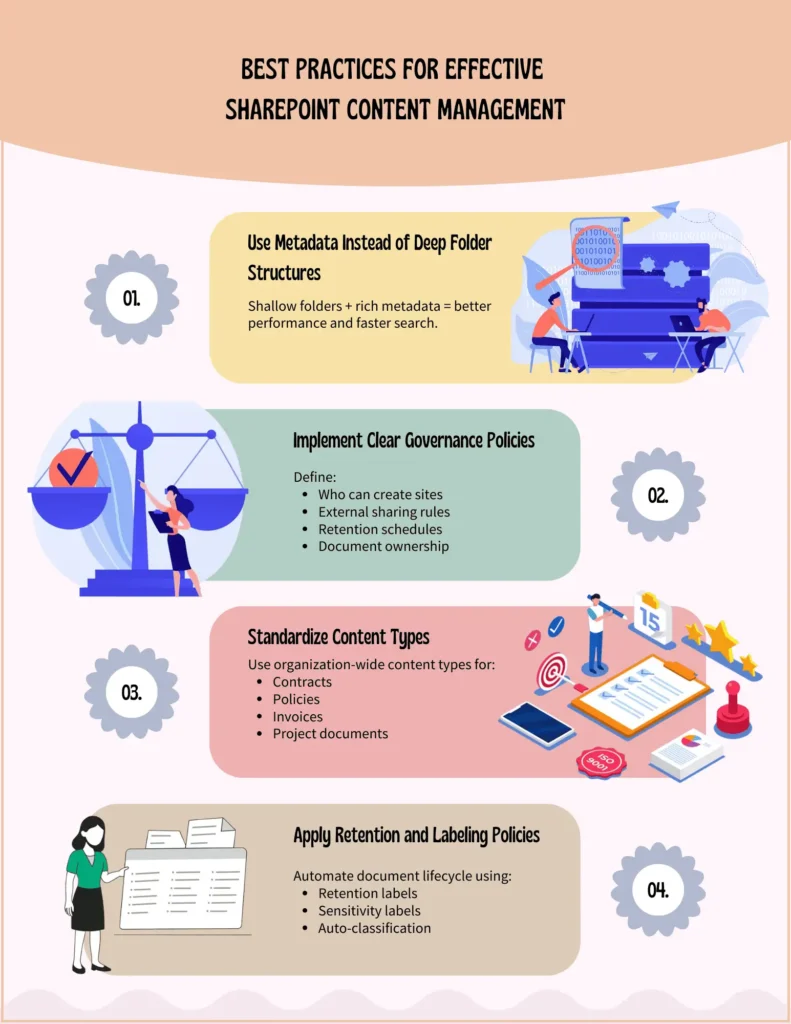
Below picture illustrates the best practices for an effective SharePoint Content Management.
Real-World Use Cases of SharePoint Online Content Management
- HR Departments: Employee records, onboarding documents, policies
- Finance Teams: Invoices, audits, budgets, compliance reports
- Legal Teams: Contracts, NDAs, case files
- Sales & Marketing: Campaign assets, proposals, presentations
- IT Teams: Knowledge bases, SOPs, service documentation
SharePoint Content Management and AI (Copilot Integration)
With Microsoft Copilot for SharePoint, organizations can:
- Generate document summaries
- Ask natural language questions
- Extract insights from large libraries
- Speed up content creation
AI-driven content management is transforming how users interact with enterprise data.
Migrating to SharePoint for Content Management
SharePoint Migration Tool (SPMT) is Microsoft’s primary, free migration tool for moving data to SharePoint Online and OneDrive.
It supports migration from:
- Windows File Servers
- Network Attached Storage (NAS)
- On-Premises SharePoint (2010, 2013, 2016, 2019)
- Local drives
Key Capabilities:
- Bulk data migration
- Incremental (delta) migrations
- Permission mapping
- Metadata preservation
- Automatic error reporting
✅ Best suited for: Most organizations moving from traditional file servers to SharePoint Online.
Benefits of SharePoint Content Management in Microsoft 365
- Centralized document control
- Improved collaboration and productivity
- Enhanced security and compliance
- Automated content lifecycle
- Faster search and information retrieval
- Reduced operational costs
- Seamless integration with Microsoft ecosystem
Final Thoughts
SharePoint Content Management in Microsoft 365 is more than just document storage—it’s a complete, intelligent, and secure enterprise content management solution. With powerful collaboration tools, enterprise-grade security, AI-driven search, and deep Microsoft 365 integration, SharePoint continues to be the backbone of modern digital workplaces in 2025.
Organizations that adopt SharePoint strategically – backed by strong governance and automation – unlock greater productivity, improved compliance, and long-term scalability.

















 Migrate
 Manage
 Migrate Microsoft 365








