


- Quick Answer
- Key Takeaways
- Why Teams Chat Migration Is Harder Than Channel Migration
- How We Compared These Tools
- Teams Chat Migration Tools Compared at a Glance
- Teams Chat Feature Comparison Matrix
- Which Teams Chat Migration Tool Fits Your Scenario?
- Apps4.Pro Migration Manager: Best Overall for Full Chat History Between Tenants
- Quest On Demand Migration: Best for Enterprise M&A With Live or Archived Chats
- AvePoint Fly: Best for Enterprise Programs That Need Usable or Archival Chat Modes
- BitTitan MigrationWiz: Best for Chat Licensed Per User with Mailbox and OneDrive
- Cloudiway: Best for MSPs Also Moving Slack and Google Chat DMs
- Kernel Microsoft Teams Migration: Best Budget Desktop Tool
- SysTools Teams Migrator: Best for Small, Simple Chat Copies
- Microsoft Migration Orchestrator: Native Chat Migration Tied to User Data
- ShareGate Migrate: Teams Private Chat Copy Disabled
- Unique Insight: Where Your Chat History Actually Lands
- Unique Insight: The Pricing Unit Matters More Than the Price
- How to Choose a Teams Chat Migration Tool: A 6-Step Checklist
- Related Comparisons: Teams and Teams for Education
- Frequently Asked Questions
Quick Answer
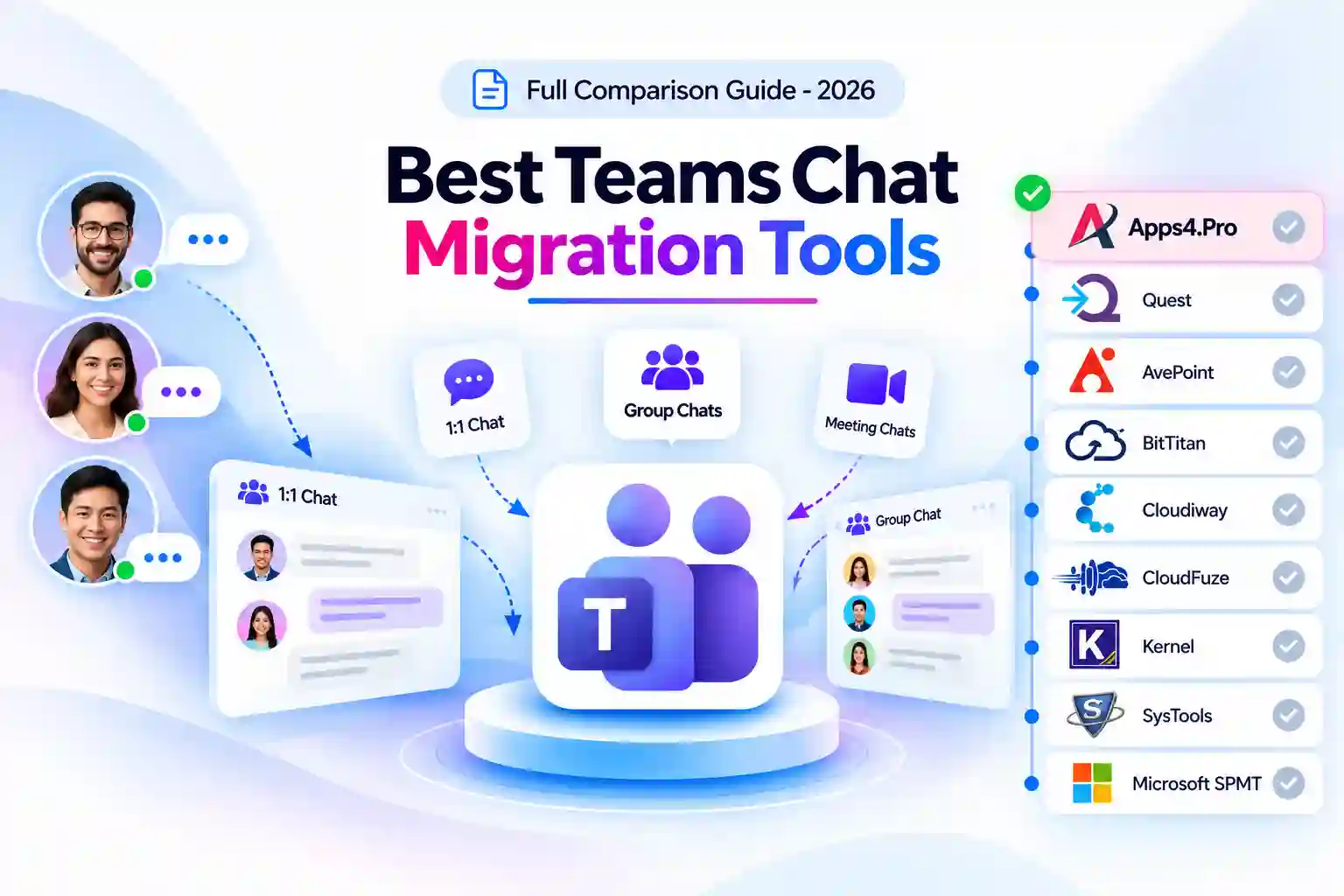
The best Teams chat migration tool for your project depends on three things: which chat types you must move (1:1, group, meeting, and chats with guests or external users), how much history must land as native Teams messages rather than an HTML archive, and whether you want chat licensed with the rest of your user migration. Based on each vendor’s documentation:
- Apps4.Pro Migration Manager moves 1:1, group, and meeting chats with no stated limit on the number of chats, a date-range filter, delta passes, and guest-participant mapping, as part of a per-installation license.
- Quest On Demand Migration and AvePoint Fly fit enterprise programs that want a choice between live, usable chats and an archive.
- BitTitan MigrationWiz includes private chat in its $17.50 per-user User Migration Bundle, with the most recent 30 days as native messages and full history as HTML.
- Cloudiway fits MSPs that also move Slack and Google Chat direct messages. It injects the 100 most recent messages per chat and archives the next 1,000 as HTML.
- CloudFuze fits buyers who want a managed service.
- Kernel and SysTools fit small desktop projects.
- Microsoft Migration Orchestrator (public preview) migrates users’ chats and meetings natively, but only as part of a per-user cross-tenant user data migration.
- ShareGate has disabled copying Teams private chats until further notice.
Key Takeaways
- Chats belong to users, not teams. Every vendor that documents prerequisites requires source and target users to exist, be mapped, and hold a Teams license before chats can move.
- Microsoft does not let migration tools create meeting chat objects, so BitTitan documents that meeting chats arrive as group chats (BitTitan guide). Apps4.Pro migrates 1:1, group, and meeting chats as archived group chats (Apps4.Pro guide).
- History depth varies widely. BitTitan rehydrates the most recent 30 days natively and puts full history in an HTML tab. Cloudiway injects 100 messages per chat and archives the next 1,000. Apps4.Pro states no limit on the number of chats.
- Sharegate disabled its Teams private chat copy in May 2026 after finding message-history visibility issues in group chats (ShareGate notice).
- Microsoft’s Migration Orchestrator migrates Teams chats and meetings with user data under a one-time per-user license, but it does not migrate teams or channels (Microsoft Learn).
- Migration order matters. Quest recommends migrating chats as the final step after account matching and OneDrive (Quest KB), and Apps4.Pro’s testing of Migration Orchestrator found attachment links worked only when OneDrive moved first (Apps4.Pro test).
Why Teams Chat Migration Is Harder Than Channel Migration
Channel migration moves content that belongs to a team. Chat migration moves conversations that belong to individual people, and that changes what a tool has to get right.
1. Identity comes first. A chat can only be recreated once every participant has a mapped, licensed account in the target. If users are migrated in the wrong order, participants can show up as external users or conversations can be duplicated, as Apps4.Pro found when testing Migration Orchestrator.
2. Not every chat type can be recreated as it was. Tools cannot create native meeting chat objects, so meeting chats arrive as group chats. Some tools also deliver 1:1 chats as group or archived chats in the target.
3. Native history vs. HTML archive. Posting every message natively is slow because each message is written one at a time. To keep projects moving, several vendors inject only recent messages and archive the rest as HTML files in OneDrive.
4. Attachments depend on OneDrive. Chat files live in the sender’s OneDrive. If OneDrive has not been migrated first, attachment links can break or point back to the source tenant.
5. Users notice. Adding members to migrated chats can trigger notifications, and some tools add a service account to every chat. Plan communications and clean-up before cutover.
How We Compared These Tools
We evaluated all ten options against the same eight criteria:
- Chat types covered (1:1, group, meeting)
- How chats appear in the target (native chat, group or archived chat, HTML file)
- History depth and limits
- Guest and external-user chats
- Attachments, inline images, reactions, and mentions
- Delta and multi-pass support
- Prerequisites and documented limitations
- Pricing model and published price
What this review is: a comparison built from documentation. Sources, in priority order, were vendor documentation and help centers, vendor pricing pages, and Microsoft Learn. We report limitations only when the vendor or Microsoft documents them.
What this review is not: a lab benchmark. We did not run throughput tests and report no speed numbers of our own.
All prices and capabilities were checked in September 2026 and should be confirmed with the vendor before purchase.
Teams Chat Migration Tools Compared at a Glance
|
#
|
Tool
|
Best for |
Chat types
|
How history lands
|
Deployment
|
Pricing model
|
Entry price
|
|---|---|---|---|---|---|---|---|
|
1
|
Tool
Apps4.Pro Migration Manager
|
Best for
Full chat history with guest chats and delta passes
|
Chat types
1:1, group, meeting
|
How history lands
Native messages in archived group chats; no stated chat limit
|
Deployment
Installed app
|
Pricing model
Per installation, all workloads
|
Entry price
$5,995
|
|
2
|
Tool
Quest On Demand Migration
|
Best for
Enterprise M&A with live or archived chats
|
Chat types
1:1 (public docs)
|
How history lands
Live chat, or HTML archive in OneDrive
|
Deployment
SaaS
|
Pricing model
Tiered per user
|
Entry price
Quote
|
|
3
|
Tool
AvePoint Fly
|
Best for
Enterprise programs; usable vs. archival modes
|
Chat types
1:1, group, meeting
|
How history lands
Native chats (Advanced or Archival mode)
|
Deployment
SaaS or self-hosted
|
Pricing model
Per user per year
|
Entry price
Quote
|
|
4
|
Tool
BitTitan MigrationWiz
|
Best for
Chat bundled with mailbox and OneDrive per user
|
Chat types
1:1, group, meeting (as group)
|
How history lands
Last 30 days native; full history as HTML tab
|
Deployment
SaaS
|
Pricing model
Per user bundle
|
Entry price
$17.50/user
|
|
5
|
Tool
CloudFuze
|
Best for
Managed, large-volume chat moves
|
Chat types
1:1, group
|
How history lands
Native with timestamps and delta sync
|
Deployment
SaaS + managed service
|
Pricing model
Quote
|
Entry price
Quote
|
|
6
|
Tool
Cloudiway
|
Best for
MSPs also moving Slack and Google Chat DMs
|
Chat types
1:1, group
|
How history lands
100 recent native per chat; next 1,000 as HTML
|
Deployment
SaaS
|
Pricing model
License bundles
|
Entry price
$570 (30 licenses)
|
|
7
|
Tool
Kernel Microsoft Teams Migration
|
Best for
Budget desktop migrations
|
Chat types
1:1, group
|
How history lands
Keeps hierarchy and date-time stamps
|
Deployment
Windows desktop
|
Pricing model
Per number of teams
|
Entry price
$499 (10 teams)
|
|
8
|
Tool
SysTools Teams Migrator
|
Best for
Small desktop projects
|
Chat types
1:1, group (personal chat)
|
How history lands
Not documented
|
Deployment
Windows desktop
|
Pricing model
One-time license
|
Entry price
Not listed
|
|
9
|
Tool
Microsoft Migration Orchestrator
|
Best for
Native user-data moves (chats with mailbox and OneDrive)
|
Chat types
Chats and meetings
|
How history lands
Native; source copy remains
|
Deployment
Microsoft 365 service (preview)
|
Pricing model
One-time per-user license
|
Entry price
Not in docs
|
|
10
|
Tool
ShareGate Migrate
|
Best for
Not available for chat
|
Chat types
Disabled
|
How history lands
Private chat copy disabled until further notice
|
Deployment
Windows desktop app
|
Pricing model
Annual, per machine
|
Entry price
N/A for chat
|
Teams Chat Feature Comparison Matrix
“Not stated” means the vendor’s public documentation does not say either way, so confirm it in a proof of concept./
|
Tool
|
1:1 chats
|
Group chats
|
Meeting chats
|
Guest / external chats
|
Delta passes
|
|---|---|---|---|---|---|
|
Apps4.Pro
|
1:1 chats
Yes (as archived group chat)
|
Group chats
Yes
|
Meeting chats
Yes (as archived group chat)
|
Guest / external chats
Guests (mapped) and external participants; not chats started by external users
|
Delta passes
Yes (re-run)
|
|
Quest ODM
|
1:1 chats
Yes
|
Group chats
Not stated publicly
|
Meeting chats
Not stated publicly
|
Guest / external chats
External-user chats can be anonymized
|
Delta passes
Not stated
|
|
AvePoint Fly
|
1:1 chats
Yes
|
Group chats
Yes
|
Meeting chats
Yes
|
Guest / external chats
Not stated
|
Delta passes
Not stated
|
|
BitTitan
|
1:1 chats
Yes
|
Group chats
Yes
|
Meeting chats
Yes (as group chat)
|
Guest / external chats
External users are not added to chats
|
Delta passes
Yes (new messages only)
|
|
CloudFuze
|
1:1 chats
Yes
|
Group chats
Yes
|
Meeting chats
Not stated
|
Guest / external chats
Not stated
|
Delta passes
Yes (delta sync)
|
|
Cloudiway
|
1:1 chats
Yes
|
Group chats
Yes
|
Meeting chats
Not stated
|
Guest / external chats
Not stated
|
Delta passes
Delta passes included in license
|
|
Kernel
|
1:1 chats
Yes
|
Group chats
Yes
|
Meeting chats
Not stated
|
Guest / external chats
Not stated
|
Delta passes
Not stated
|
|
SysTools
|
1:1 chats
Yes
|
Group chats
Yes
|
Meeting chats
Not stated
|
Guest / external chats
Not stated
|
Delta passes
Not stated
|
|
Microsoft Orchestrator
|
1:1 chats
Yes
|
Group chats
Yes
|
Meeting chats
Yes (with meetings)
|
Guest / external chats
Mapped users can appear external depending on migration order
|
Delta passes
Not stated
|
|
ShareGate
|
1:1 chats
Disabled
|
Group chats
Disabled
|
Meeting chats
Disabled
|
Guest / external chats
Disabled
|
Delta passes
Disabled
|
Which Teams Chat Migration Tool Fits Your Scenario?
|
Your scenario
|
Shortlist
|
|---|---|
|
Full chat history must move, with no per-chat limit
|
Shortlist
Apps4.Pro (no stated limit), CloudFuze (states full history); confirm limits with AvePoint and Quest
|
|
Users must keep using migrated chats, not just read an archive
|
Shortlist
AvePoint Fly (Advanced mode), Quest ODM (live chat), CloudFuze, Microsoft Orchestrator
|
|
Chats with guests must be preserved
|
Shortlist
Apps4.Pro (with guest mapping)
|
|
Chat licensed per user together with mailbox and OneDrive
|
Shortlist
BitTitan, Microsoft Orchestrator
|
|
MSP moving Slack or Google Chat DMs as well
|
Shortlist
Cloudiway, CloudFuze
|
|
Fully managed service
|
Shortlist
CloudFuze, AvePoint-managed migration, Quest Professional Services
|
|
Small project on a desktop tool
|
Shortlist
Kernel, SysTools
|
|
Already using ShareGate for teams and channels
|
Shortlist
Add a separate chat tool; ShareGate chat copy is disabled
|
1. Apps4.Pro Migration Manager: Best Overall for Full Chat History Between Tenants
Apps4.Pro Migration Manager, built by JiJi Technologies, migrates 1:1, group, and meeting chats between tenants with no stated limit on the number of chats or participants, inside the same license that covers teams, mailboxes, OneDrive, and SharePoint.
Teams chat capabilities
Per the Apps4.Pro private chat migration guide:
- Migrates 1:1, group, and meeting chats, including chats with external users as participants and chats with guest users (after mapping the equivalent guest in the target).
- States there are no limitations on the number of 1:1, group, or meeting chats, participants, and no file-size limit.
- Migrates formatted text, stickers, emoji, GIFs, and preview cards such as Praise, Forms, Approvals, and YouTube. Each message shows the source username and original posted date and time.
- OneDrive attachments can be migrated with the source URL replaced (the default), kept as-is, or re-pointed to the target domain. Inline images can be stored in the originator’s, primary user’s, or service account’s OneDrive.
- A date-range option migrates messages from a specific interval. Batch migration and delta passes pick up new messages by re-running tasks.
- Chat membership migration can be switched off before the first pass to avoid notifications, then added later with “Add Membership by Task.”
- Uses admin consent with application permission in the source and delegated permission in the target and supports MFA and modern authentication.
Documented limitations
- 1:1, group, and meeting chats are all migrated as group chats, referred to as archived chats, in the target.
- The service account appears as a member of each migrated chat. A “Migrated Target Chats” report helps remove it afterwards.
- Not migrated: reactions, the “You” (self) chat, chats started by external or federated users, SharePoint attachments, approvals with file attachments, and pin, mute, hide, and unread states.
- Attachments and inline images arrive as links, so attachments do not appear in the Shared tab. Mentions and importance flags arrive as text.
Pricing
- $5,995 per single-machine installation, or $8,995 for up to five installations, described on the pricing page as a one-time purchase covering all workloads.
- A 15-day free trial is available.
Best fit: M&A and consolidation projects that need complete chat history, guest chats, and delta passes, especially when teams, mailboxes, and OneDrive move with the same tool.
Not a fit: projects that require migrated 1:1 chats to appear as native 1:1 chats with reactions preserved.
2. Quest On Demand Migration: Best for Enterprise M&A With Live or Archived Chats
Quest On Demand Migration (ODM) migrates private 1:1 chats during tenant-to-tenant Teams migration, either into live chats users can continue or into a searchable archive.
Teams chat capabilities
Per Quest’s Teams migration page and chat options comparison:
- Migrates 1:1 chats directly into live chats on the target so users “pick up right where they left off.”
- Can archive older conversations to improve performance. Archived chats stay accessible and searchable.
- Live chat migration copies messages in the order they were sent and received. The HTML archive option uploads chats as HTML files to OneDrive, optionally with a private chat that links to the file.
- Runs inside the same SaaS console as Exchange, OneDrive, SharePoint, and Active Directory migration.
Limitations
- Quest documents that live chat migration cannot recreate the left (received) and right (reply) sides of a conversation, and is slower because each message is processed individually.
- Detailed chat documentation is in premium knowledge base articles that require a maintenance contract, and public pages focus on 1:1 chats.
- There is no public price list.
Pricing
- Quote-based. Licenses are consumed by tier (T3, T5, T7).
Best fit: large M&A programs that want chats in the same console as every other workload, with an archive option for older history.
Not a fit: buyers who need published pricing or public documentation of group and meeting chat handling.
3. AvePoint Fly: Best for Enterprise Programs That Need Usable or Archival Chat Modes
AvePoint Fly migrates 1:1, group, and meeting chats between tenants, with a mode that keeps chats usable and a mode that only preserves history.
Teams chat capabilities
Per AvePoint’s Fly update announcement, chat migration walkthrough, and product brochure:
- Migrates one-on-one chats, group chats, and meeting chats with the “Migrate Teams Chats” option.
- In Advanced mode, chat membership is migrated, and users can keep using the chat in the destination. In Archival mode, membership is not migrated.
- File attachments can optionally be included with chats.
Limitations
- AvePoint notes that even when attachments are migrated, the link between Teams and OneDrive is lost.
- AvePoint warns that large chat migrations can take a long time, even months, because of throttling.
- Pricing is quote-based, and the platform is more than a chat-only project typically needs.
Pricing
- Fly SaaS is priced per user per year with unlimited data (UK G-Cloud listing). AvePoint states SaaS and self-hosted pricing are the same.
Best fit: large enterprises that want chat, teams, and other workloads on one subscription, with a choice between usable and archival chats.
Not a fit: a small, fixed-budget chat-only move.
4. BitTitan MigrationWiz: Best for Chat Licensed Per User with Mailbox and OneDrive
BitTitan MigrationWiz includes Teams private chat migration in its per-user User Migration Bundle, alongside mailbox, archive, and OneDrive migration.
Teams chat capabilities
Per the BitTitan private chat guide, feature update, and pricing page:
- Migrates 1:1, group, and meeting chats. Meeting chats appear as group chats because meeting chat objects cannot be created by a migration.
- The most recent 30 days of each chat are migrated and rehydrated natively. Full chat history is delivered as an HTML content tab, stored as HTML files in the service account’s OneDrive (up to 250 MB per file).
- Pricing page lists chat titles, rich formatting, emojis, GIFs, stickers, and long text messages.
- Multi-pass migration captures only new messages in chats that were already migrated.
Documented limitations
- Deleted messages, tags and mentions, and links pasted directly into chats (including documents and images) are not migrated.
- External users are not added to chats.
- Default user mapping works on display name and line items only, and concurrency is limited to 20 users.
Pricing
- User Migration Bundle: $17.50 per user, including mailbox, archives, OneDrive, and Teams private chat.
- Tenant Migration Bundle: $57 per user, adding a choice of Teams or Shared Document migration (100 GB).
Best fit: user-based tenant migrations where recent chats need to be native and older history can live in an HTML tab.
Not a fit: projects where years of chat history must stay as native, searchable Teams messages.
5. CloudFuze: Best for Managed, Large-Volume Chat Moves
CloudFuze pairs a SaaS migration engine with a managed service and covers Teams 1:1 and group chats as part of tenant-to-tenant Teams migration.
Teams chat capabilities
Per CloudFuze’s Teams tenant migration page and direct messages page:
- Handles 1:1 and group chats, noting that they require distinct service-account permissions and handling logic.
- States that message hierarchy, replies, mentions, attachments, emojis, metadata, and timestamps are preserved.
- Delta sync captures new or updated messages and attachments created after the initial migration.
- Provides migration engineers and project governance.
Limitations
- CloudFuze’s public pages describe capabilities rather than detailed not-migrated lists, so request a scope document during the proof of concept.
- No public pricing.
Pricing
- Quote-based.
Best fit: enterprises that want engineers to run the chat migration, not just software.
Not a fit: buyers who need a public price list or detailed public limitations.
6. Cloudiway: Best for MSPs Also Moving Slack and Google Chat DMs
Cloudiway migrates Teams 1:1 and group chats between tenants and also migrates Slack and Google Chat direct messages, under a collaboration license that never expires.
Teams chat capabilities
Per the Cloudiway 1:1 chat guide and chat migration overview:
- Supports Teams one-on-one and group chats, plus Slack DMs and multi-person DMs.
- Injects the 100 most recent messages per chat directly into the target Teams chat and exports the next 1,000 messages to an HTML file in OneDrive.
- Preserves original timestamps, formatting, emojis and reactions, file attachments, and inline images.
Documented limitations
- Default limits are 100 native and 1,000 archived messages per chat, and Cloudiway recommends keeping to 1,000 messages per user for performance.
- Source and target users need Microsoft 365 licenses with Teams enabled.
- Meeting chats and external users are not addressed in the public guide.
Pricing
- Collaborative bundle: $570 for 30 licenses covering Teams, Slack, and Google Chat, with unlimited delta passes and licenses that never expire (Cloudiway pricing).
Best fit: MSPs and multi-platform chat projects where recent history matters most.
Not a fit: chats with deep history that must all land as native messages.
7. Kernel Microsoft Teams Migration: Best Budget Desktop Tool
Kernel Microsoft Teams Migration is a Windows desktop tool that migrates 1:1 and group chats along with teams and channels.
Teams chat capabilities
Per Kernel’s product page and 1:1 chat walkthrough:
- Migrates 1:1 personal chats separately or during a full team migration, and group chats.
- States that chat hierarchy, date-time stamps, and metadata are preserved.
- Chats are selected and mapped in the same interface as channels.
Limitations
- Kernel’s page does not publish a not-migrated list or chat volume limits.
- It is a desktop app, so throughput depends on your own machine, and it requires an Azure app registration.
Pricing
- Licensed by number of teams: $499 for 10 teams. Chat-specific pricing is not listed separately.
Best fit: small and mid-size projects on a tight budget.
Not a fit: large programs that need documented chat limitations or a managed service.
8. SysTools Teams Migrator: Best for Small, Simple Chat Copies
SysTools Teams Migrator is a Windows desktop tool that lists personal chat migration alongside groups, files, channels, and posts.
Teams chat capabilities
- Migrates Microsoft Teams personal chats together with groups, files, channels, and posts.
- Offers date filters, delta migration, and reports for Teams data.
Documented limitations
- A Teams license must be assigned for personal chat migration.
- The product page does not document how chats appear in the target, meeting chat handling, or history limits.
Pricing
- One-time license. The product page links to purchase without listing a price.
Best fit: a small number of users with simple chat needs.
Not a fit: projects that need documented chat fidelity.
9. Microsoft Migration Orchestrator: Native Chat Migration Tied to User Data
Microsoft’s Migration Orchestrator (Cross-Tenant User Data Migration, in public preview) migrates Teams chats and meetings together with mailboxes and OneDrive, as a native Microsoft 365 service.
Teams chat capabilities
Per Microsoft Learn, the Orchestrator FAQ, and the public preview announcement:
- Supported workloads include Teams chats and Teams meetings.
- Teams meeting migration depends on mailbox migration. A batch fails to start if meetings are selected without chats and mailboxes.
- Chat messages are never deleted from the source tenant, so users keep access there.
Documented limitations
- Identity Mapping is required, and users must be configured as mail users in the target before mapping.
- It does not migrate teams, channels, or SharePoint sites.
- Apps4.Pro’s testing found that migration order affected whether mapped users appeared as external, and attachment links worked only when OneDrive migrated first (test results).
Pricing
- Requires a Cross-Tenant User Data Migration license: a one-time, per-user fee assigned to the source or target user. The overview page does not list a price.
Best fit: organizations already moving users with Microsoft’s native tooling that want chats and meetings to follow.
Not a fit: projects that also need teams and channels, or that cannot tolerate duplicate threads during a preview.
10. ShareGate Migrate: Teams Private Chat Copy Disabled
ShareGate has disabled copying Teams private chats until further notice, so it is not currently an option for chat migration.
- ShareGate’s May 2026 notice says the Copy-Chat PowerShell command (Pro and Enterprise plans) is disabled after two issues: users who joined group chats later could see messages from before they joined, and recopying chats for newer members removed their pre-join history (ShareGate notice).
- All other ShareGate Migrate features remain available, including team and channel migration.
What to do: if you use ShareGate for teams and channels, pair it with one of the tools above for chats and confirm how each handles chat membership history.
Unique Insight: Where Your Chat History Actually Lands
“Chat migration” means different things in different tools. Before buying, ask how much history arrives as native messages and in what kind of chat.
|
Tool
|
Where history lands
|
|---|---|
|
Apps4.Pro
|
Where history lands
Native messages in archived group chats, with original sender and time shown; no stated chat limit; optional date range
|
|
Quest ODM
|
|
|
AvePoint Fly
|
Where history lands
Native chats; Advanced mode keeps membership so chats stay usable, Archival mode does not
|
|
BitTitan
|
Where history lands
Most recent 30 days native; full history as HTML content tab in OneDrive
|
|
Cloudiway
|
Where history lands
100 most recent messages native per chat; next 1,000 in an HTML file in OneDrive
|
|
Microsoft Orchestrator
|
Where history lands
Native chats; source copy remains and duplicates can appear
|
Unique Insight: The Pricing Unit Matters More Than the Price
|
Pricing unit
|
Tools
|
Cheapest when…
|
|---|---|---|
|
Per installation (one-time)
|
Tools
Apps4.Pro
|
Cheapest when…
Many users and many chats
|
|
Per user bundle
|
Tools
BitTitan ($17.50), Microsoft Orchestrator
|
Cheapest when…
Few users, or chat moves with mailbox and OneDrive anyway
|
|
Bundle credits
|
Tools
Cloudiway ($570 per 30)
|
Cheapest when…
MSPs spreading licenses across projects
|
|
Per number of teams
|
Tools
Kernel
|
Cheapest when…
Small projects
|
|
Per user subscription or quote
|
Tools
AvePoint, Quest, CloudFuze
|
Cheapest when…
Managed or enterprise-wide programs
|
Worked example: 500 users on BitTitan’s User Migration Bundle cost $8,750, which also covers their mailboxes and OneDrive. Apps4.Pro’s single installation is $5,995 regardless of user count and also covers teams and SharePoint. At 100 users, BitTitan costs $1,750. Compare the whole user migration, not just the chat line.
How to Choose a Teams Chat Migration Tool: A 6-Step Checklist
- List your chat types. Count 1:1, group, meeting, and guest or external chats, and confirm how each tool delivers them in the target.
- Decide how much history must be native. Compare native message limits with HTML archive limits for your busiest users.
- Map identities and set the order. Map and license every user first, batch people who chat together, and migrate OneDrive before chats.
- Plan for notifications and service accounts. Check whether members are notified and whether a service account is added to chats.
- Check what users will lose. Reactions, mentions, pins, and link previews are handled differently by each tool.
- Pilot your heaviest chat users, then compare message counts and spot-check attachments in the target.
Related Comparisons: Teams and Teams for Education
Teams and channel migration covers team structure, standard, private, and shared channels, channel conversations, tabs, and the team’s SharePoint site. Read the full comparison: Best Teams Migration Tool Comparison 2026
Teams for Education migration covers class, staff, and PLC teams, class notebooks, assignments, and grades. Read the full comparison: Best Teams for Education Migration Tools.

















 Migrate
 Manage
 Migrate Microsoft 365








