


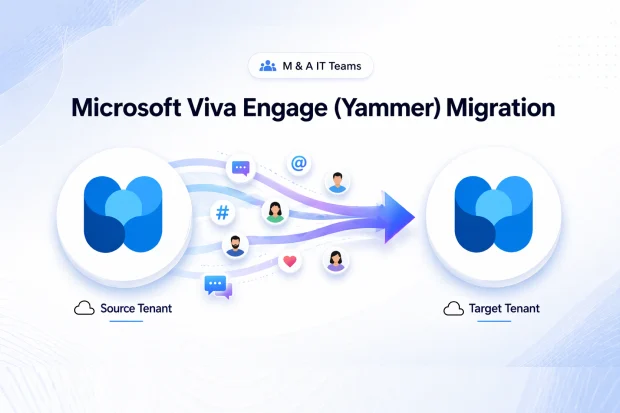
When two companies merge, Viva Engage (formerly Yammer) is almost always treated as an afterthought, and that oversight can be costly.
Microsoft’s native tenant consolidation path does not migrate Viva Engage content, so the communities, conversations, and praise history that capture a company’s institutional memory and culture can be permanently lost when the Transition Services Agreement (TSA) expires.
This guide is for CIOs, IT directors, and M&A integration leads planning a Microsoft 365 tenant consolidation who may not yet realize that Viva Engage needs its own dedicated migration workstream.
- Why M&A Is the #1 Trigger for Tenant to Tenant Migration
- Why Viva Engage Gets Missed Until It Is Too Late
- Why Viva Engage Data Matters More Than Most Teams Realize
- The Hidden Cost of Losing Viva Engage Data After a Merger
- The M&A Viva Engage Workload Inventory Checklist
- Why Apps4.Pro Is the Only Tool Preserving Complete History
- A Practical M&A Migration Sequence for Viva Engage
- Start Your M&A Viva Engage Migration
- Frequently Asked Questions
Why M&A Is the #1 Trigger for Tenant to Tenant Migration
Mergers, acquisitions, and divestitures are among the most common reasons organizations undertake Microsoft 365 tenant to tenant migration projects.
Unlike routine modernization efforts, M&A migrations run against a fixed business deadline. That deadline is usually governed by the Transition Services Agreement, which defines how long the seller will continue hosting the buyer’s users, systems, and data after the transaction closes.
Once the TSA expires, any workload not yet migrated becomes a risk. In some cases, that means inaccessible data. In others, it means permanent loss.
Viva Engage is different. There is no native Microsoft cross-tenant migration path for Viva Engage content. That gap matters because Viva Engage often contains years of business discussions, informal support threads, leadership communication, and employee recognition history.
Why Viva Engage Gets Missed Until It Is Too Late
In many M&A integrations, Viva Engage is one of the last workloads teams review. By the time it gets attention, the TSA deadline is often far closer than expected.
That is when teams realize Microsoft’s native cross-tenant migration capabilities do not support Viva Engage communities, conversations, or engagement history.
The outcome is predictable: Viva Engage content stays behind in the source tenant, and when that tenant is decommissioned, the business loses access to it.
And it is not just old posts at risk. Organizations can lose project discussions, internal Q&A threads, community knowledge, leadership announcements, and years of employee recognition history.
Why Viva Engage Data Matters More Than Most Teams Realize
Microsoft Viva Engage contains a different class of business information: institutional knowledge, employee sentiment, and informal operational expertise. Once lost, this content is extremely difficult, and in most cases impossible, to recreate.
Institutional memory
M365 Viva Engage conversations preserve the reasoning behind decisions, not just the outcomes. They capture debates, objections, alternative proposals, and the context that shaped final choices. During a merger or divestiture, losing this history removes critical business context that future teams may need.
Employee sentiment and engagement history
Praise posts, leadership of Q&A threads, and employee reactions create a documented record of culture, recognition, and internal communication. In an M&A scenario, losing this content can send the wrong message to acquired employees, making the integration feel less like a transition and more like an erasure of identity.
Tribal knowledge
Many organizations use Microsoft Viva Engage communities as informal problem-solving hubs. Troubleshooting threads, expert answers, and peer-to-peer discussions often contain practical knowledge that was never copied into a formal knowledge base. If that information is not migrated, teams can lose answers they rely on for day-to-day operations.
The Hidden Cost of Losing Viva Engage Data After a Merger
The impact of missing Viva Engage data is often underestimated because it is not always visible in standard migration dashboards.
The real cost can include:
- Loss of historical community discussions and operational know-how
- Broken continuity for employee engagement and recognition history
- Rework as teams recreate answers and guidance that already existed
- Compliance and retention gaps when content remains in a decommissioned tenant
- eDiscovery challenges if pre-merger communications are no longer accessible
- Friction during integration when acquired employees feel their history was erased
The M&A Viva Engage Workload Inventory Checklist
Before TSA clock pressure forces shortcuts, complete this inventory for both source and target tenants.
- Total number of Viva Engage networks (primary + secondary) on each side
- Count of communities (public, private, all-company) and membership rosters
- Volume of conversations, threads, and replies (with date ranges)
- Attachments and files stored within communities, including sizes
- Topics, hashtags, and pinned posts used for knowledge organization
- Praise posts and reaction history tied to specific users
- guest members
- Data residency (US Geo vs. EU Geo) and any geo-relocation requirements
- Retention labels and compliance holds applied to Viva Engage content
This inventory feeds directly into your broader tenant consolidation plan – review our Microsoft 365 migration checklist for the full workload-by-workload scope, and if your deal involves EU data centers, see our guidance on geo-relocation during M&A.
Why Apps4.Pro Is the Only Tool Preserving Complete History
Apps4.Pro Migration Manager is positioned as the only vendor delivering full-fidelity Viva Engage migration for cross-tenant M&A scenarios. It closes the exact gap Microsoft leaves open.
Capabilities relevant to M&A IT teams include:
- Preservation of community structure and key metadata during migration
- Tenant-to-tenant migration of communities, conversations, attachments, topics, files, and membership
- Support for cross-geo migration scenarios, such as US Geo to EU Geo.See our guidance on geo-relocation during M&A
- Preservation of threads, polls, likes, best replies, and attachments
- Pre-migration validation and guided migration execution
For the step-by-step technical process, see the Viva Engage tenant-to-tenant migration support guide. For broader guidance on Yammer network migration, start with our guide to migrating your Yammer network
A Practical M&A Migration Sequence for Viva Engage
- Day 1 readiness (pre-close): Complete the workload inventory above in both tenants.
- TSA + 30 days: Map source communities to target community structure; decide consolidation vs. coexistence.
- TSA + 60 days: Run a proof-of-concept migration on a pilot community to validate fidelity.
- TSA + 90 days: Execute bulk migration of communities, conversations, and attachments.
- TSA + 120 days: Validate praise history, topics, and membership; reconcile retention labels.
- Pre-TSA expiration: Decommission source networks with verified content preservation.
Start Your M&A Viva Engage Migration
If your organization is inside a TSA window, or anticipating one, Viva Engage cannot wait until the last phase of integration. Explore Apps4.Pro Migration Manager for Viva Engage and preserve the institutional memory that makes your combined organization more than the sum of its tenants.
















