


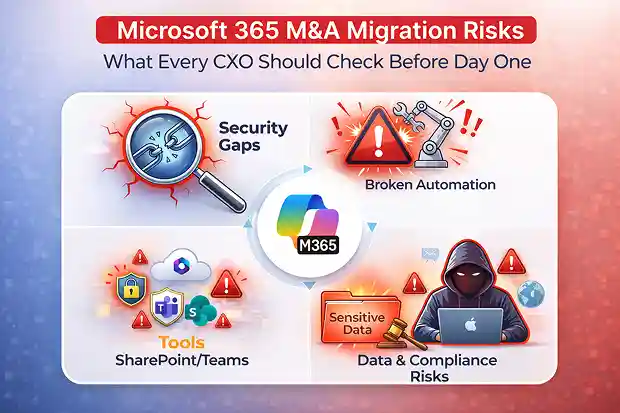
This page is the executive map to the Microsoft 365 M&A migration risks most likely to disrupt Day One. Each section highlights a core enterprise concern and links to the deeper analysis behind it.
The deal is closed. The TSA clock is running. And the team just discovered that “most of the data is in SharePoint” actually means a sprawling mix of SharePoint sites, Teams channels, OneDrive accounts, and undocumented Power Platform apps.
This is the moment most M&A leaders realize they have a Microsoft 365 problem. There is no native “move tenant” option. Identities, permissions, policies, workflows, and dependencies all have to be rebuilt in the target tenant without disrupting the business.
That is why this is not just an IT migration. It is a post-close risk event that can delay synergies, widen security exposure, and disrupt critical operations.
- Before the Deal Closes: Pre-Deal M365 Due Diligence
- The CIO’s Nightmare: Timelines, Budgets, and Broken Promises
- The CISO’s Reality: Security Gaps You Cannot See Until It Is Too Late
- The CTO’s Blind Spot: Automation and AI Do Not Survive the Move
- The Head of IT Operations: Where Theory Meets the Helpdesk
- The M&A Integration Leader: Carrying the Weight Without the Map
- Cross-Cutting Risk : Shadow IT
- Pre-Close CXO Readiness Checklist
- What Separates Successful Integrations from Expensive Lessons
Before the Deal Closes: Pre-Deal M365 Due Diligence
If you’re still pre-signing, start here – these cover what to assess, price, and negotiate before the deal closes.
- The M365 Pre-Deal Due Diligence Problem: Why You’re Pricing What You Can’t See – the pillar that reframes M365 as a priced risk, not a post-close surprise.
- Estimating M365 Migration Cost Before You Have Admin Access: A Pre-Deal Framework – how to size migration cost without tenant visibility.
- From M365 Findings to SPA Clauses: The Reps, Warranties & Escrow Playbook – turning technical findings into enforceable deal protection.
- Secure Score as a Term-Sheet Adjuster: How CISOs Are Pricing M&A Cyber Risk – making security posture a quantifiable valuation input.
- The Litigation Hold Trap: How to Surface Held Mailboxes Before You Sign – the compliance landmine that blocks native migration tools.
- The Data Room You Should Have Asked For – the exact artifacts, exports, and registers to demand from the seller.
The CIO’s Nightmare: Timelines, Budgets, and Broken Promises
For the CIO, the TSA clock is the real project sponsor.
Migration timelines routinely overrun, turning a six-month plan into a prolonged coexistence period with duplicated cost and extended risk. Every delay also pushes out cost savings and revenue synergies that were supposed to start after close.
Hidden costs quickly overtake the approved budget. Double licensing, emergency consulting, workflow rebuilds, and TSA extension penalties can make the real migration cost much higher than the original plan.
No single tool covers everything. Even where Microsoft has improved cross-tenant migration for workloads like Exchange Online and OneDrive, meaningful gaps remain across Power Platform, Planner, Forms, Viva Engage(yammer), and parts of Teams-exactly where business workflows tend to break quietly.
Shadow IT makes this worse. Late discovery of unsanctioned SaaS tools, personal automations, or rogue Teams environments adds work you never sized and risk you never budgeted for.
Every extra month of coexistence that hurts the CIO’s budget also expands the CISO’s attack surface.
Deep Dive: The Real Cost of M365 Migration in M&A | TSA Deadlines and M365 Migration Reality | Carve-Out vs. Consolidation | Microsoft 365 Multi-Geo Tenant Migration Risks in M&A
The CISO’s Reality: Security Gaps You Cannot See Until It Is Too Late
For the CISO, an acquired tenant is inherited security debt.
Identity and Access Risks
Security posture gaps create measurable risk windows from the start. Conditional Access must be rebuilt, or users get locked out on Day One-or worse, weaker authentication controls go unnoticed until after cutover.
Audit trail coverage also drops at the worst possible time. Unified audit logs do not migrate. That means the period of highest change can become the period of lowest forensic visibility.
Insider threat detection resets as well. Insider Risk Management baselines are tenant-bound, so behavior models restart just as uncertainty, exits, and leak risk begin to rise.
Data and Compliance Risks
Compliance settings do not move. eDiscovery cases, retention policies, and DLP rules are tenant-specific, so compliance continuity has to be rebuilt, not assumed.
Native mailbox migration can also fail when source users are under Litigation Hold, In-Place Hold, or other restrictive hold conditions. Found late, that becomes both a legal risk and a timeline risk.
Microsoft Sensitivity labels can be lost in transit, leaving previously classified data unprotected in the target tenant.
Admin resistance is often underestimated in M&A. When tenant-level roles shrink, the issue is not just access. It is influence, ownership, and control.
One high-profile post-acquisition breach remains a useful reminder that long-forgotten credentials in an acquired environment can turn into headline-level incidents.
Deep Dive: Compliance Continuity in M&A Tenant Migration | Sensitivity Labels and Data Protection During Tenant Migration | Identity and Access Chaos in M&A Migrations
The CTO’s Blind Spot: Automation and AI Do Not Survive the Move
The CTO’s main risk is not infrastructure. It is the glue between applications and processes.
Power Platform is tenant-bound, and undocumented automation makes the problem worse. Critical workflows are often discovered only after migration planning begins, when timelines are already tight and business owners assume continuity is covered.
APIs, service principals, and OAuth apps are also scoped to the source tenant. Failures may not appear immediately. They often surface later. When payroll stops syncing, CRM connectors drift, reporting goes stale, or downstream integrations start failing.
Microsoft Teams chat migration also carries architectural limits. In some scenarios, chat data can be replayed into the target tenant, but not in a way that fully preserves original authorship and user experience.
“Migrated” and “intact” are not the same outcome.
Data gateways must be re-provisioned, or reporting and automation tied to on-premises data can fail after cutover. Copilot and AI context can reset too, reducing the value leaders expect from productivity tools immediately after the move.
Most of these failures do not first appear in architecture diagrams. They show up as support issues.
Deep Dive: Microsoft Power Platform Migration in M&A | Planner, Forms, Loop, Whiteboard, and To Do in M&A
The Head of IT Operations: Where Theory Meets the Helpdesk
IT Operations inherits every failure the program did not catch earlier.
Day-1 ticket volume can spike 5–10x. Login confusion, Outlook profile rebuilds, Teams cache issues, and MFA re-registration are all predictable. Each one still feels like a crisis to the person who cannot work.
At the same time, cutover is a precision operation. Domain removal, MX record changes, DNS updates, and communications all have to be sequenced across time zones without creating avoidable disruption.
Device re-enrollment is a migration inside the migration. Intune-managed devices must be moved in a controlled sequence or they quickly become both a security problem and a support burden.
Coexistence is equally fragile. Dual mail flow, cross-tenant free/busy, and access policies create operational complexity that gets harder-not easier – the longer coexistence lasts.
The person responsible for the full outcome from due diligence through Day One is the M&A Integration Leader.
Deep Dive: Exchange Online Migration in M&A | Microsoft Teams Migration in M&A | Teams Voice and Telephony Migration | Microsoft 365 Tenant-to-Tenant Coexistence: Why Email, Calendar, and the GAL Break on Day 1 | Why Post-Migration Validation Is the Hidden Risk
The M&A Integration Leader: Carrying the Weight Without the Map
Integration leaders are accountable for outcomes across technology, process, and people – usually without direct authority over all three.
Due diligence is often too shallow. Many deals stop at license counts and mailbox sizes, but miss service principals, automations, admin roles, and business dependencies that later determine what actually breaks.
Cultural resistance compounds the problem. For many admins, tenant-level roles represent influence and identity, not just permissions. That can slow cooperation, reduce documentation quality, and create new shadow IT at exactly the wrong time.
Intentional disruption risk is real in adversarial situations. Departing administrators may create backdoor accounts, alter permissions, or withhold critical knowledge. Treating handover as routine instead of security-sensitive leaves the organization exposed.
Communication quality matters just as much. Weak end-user messaging increases ticket volume, extends timelines, and erodes confidence in the broader integration program.
And because domain moves, mailbox tenant to tenant migrations, and identity cutovers are hard to roll back, go/no-go authority has to be clear before the moment of decision-not during it.
Deep Dive: Silent Failures After M365 Tenant Migration | SharePoint and OneDrive Migration at Enterprise Scale in M&A | Microsoft Viva Engage Migration Traps in M&A Deals
Cross-Cutting Risk : Shadow IT
Shadow IT is not just a CIO budgeting problem. It is one of the few risks that can expand scope, weaken compliance, and disrupt operations at the same time.
Organizations often run SaaS applications, personal automations, and unvetted collaboration tools outside IT’s line of sight. These are easy to miss in due diligence and expensive to discover after migration planning is already underway.
The timing of discovery determines the impact.
Discovered before close: manageable.
Discovered mid-migration: timelines slip, budgets expand, and technical risk rises.
Discovered after cutover: it becomes unexplained data flow, a compliance gap, or a breach vector.
A single unsanctioned automation tied to personal storage can stall post-close operations if it was never captured in inventory. Microsoft Defender for Cloud Apps, SaaS discovery scans, and direct conversations with business leaders are some of the cheapest insurance available.
The good news is that every risk above is preventable with the right sequencing.
Here is where to start.
Pre-Close CXO Readiness Checklist
Bring this to your next steering committee. Assign one named owner per workstream. Any unchecked box means your migration risk is higher than your plan admits.
CIO Readiness
☐ Independent migration timeline and TSA risk analysis completed
☐ Double licensing cost modeled for 6, 9, and 12-month scenarios
☐ TSA penalty clauses reviewed with legal and mapped to milestones
☐ Migration tooling gaps identified for Power Platform, Planner, Forms, Viva Engage
☐ Shadow IT discovery initiated
CISO Readiness
☐ Secure Score comparison between source and target tenants completed
☐ Compliance gap analysis completed
☐ Conditional Access recreation planned
☐ Audit log preservation strategy defined
☐ Insider Risk baseline reset plan in place
☐ Inherited credential and backdoor account audit scheduled
CTO Readiness
☐ Full Power Platform inventory completed
☐ Service principal and OAuth audit completed
☐ On-premises data gateway reinstallation plan defined
☐ Copilot/AI reindexing timeline estimated and communicated
Head of IT Operations Readiness
☐ Cutover runbook built with time-zone-specific sequencing
☐ Helpdesk surge staffing and knowledge articles prepared
☐ Intune device re-enrollment sequencing and rollback plan documented
☐ Coexistence architecture tested
M&A Integration Leader Readiness
☐ Due diligence extended beyond license counts
☐ Cultural resistance and admin-role impacts assessed
☐ Sabotage-risk controls in place
☐ End-user communication plan built
☐ Go/no-go decision authority formally assigned
☐ Shadow IT discovery scan completed
What Separates Successful Integrations from Expensive Lessons
Across Microsoft 365 M&A migrations, the teams that stay on track do three things differently.
First, they discover critical dependencies before cutover. That means not just mailboxes and files, but service principals, automations, admin roles, and unmanaged collaboration tools.
Second, they treat Day One as an operating-risk event, not just a migration milestone. Identity gaps, device readiness, chat limitations, and coexistence complexity are handled as business continuity issues, not late technical fixes.
Third, they assign clear ownership before decisions become irreversible. Go/no-go authority, cutover sequencing, communication, and hypercare cannot be improvised during the move.
The strongest programs also look for self-funding opportunities. License rationalization, duplicate app cleanup, and retirement of overlapping services can offset migration cost before Day One.
Planning a tenant migration as part of an M&A? Use this page as the executive map. Start here, then go deeper into the linked analyses for the workloads, controls, and decisions most likely to derail Day One.

















 Migrate
 Manage




